
Obsidian: Capture on iOS with Drafts and Working Copy - Effective Remote Work
🛍️ Products Mentioned (7)
Working Copy
Drafts
Obsidian
LISTEN to our podcast
LISTEN to our podcasts at
GO DEEPER with the Obsidian Made Simple course
If you've ever gotten stuck wondering how to conduct a weekly review, SIGN UP for our FREE weekly review checklist at
Using Working Copy, Drafts, and Shortcuts gives you a quick way to easily capture thoughts, ideas, and notes to your Obsidian vault -- all powered with git version control. 🎉 GO DEEPER with the Obsidian Made Simple course: https://keepproductive.com/obsidian-made-simple 🔗 Obsidian: https://obsidian.md 🔗 Working Copy: https://workingcopyapp.com/ 🔗 Drafts: https://getdrafts.com/ 📺 Justin's January 2020 Notion Tour: https://www.youtube.com/watch?v=496DqSTVFaI 📺 Justin's Obsidian Tour @Keep Productive: https://www.youtube.com/watch?v=lz0wZiuXCoQ ---- If you've ever gotten stuck wondering how to conduct a weekly review, SIGN UP for our FREE weekly review checklist at https://weeklyreviewchecklist.net LISTEN to our podcasts at https://remotelyworking.net and https://podcast.effectiveremotework.com GEAR I'M USING 2019 15" Macbook Pro Focusrite Scarlett 2i4 Shure Beta 87A Presonus Studio Channel Presonus Eris E4.5 Studio Monitors
🎬 More from Effective

How to Pair Notebooks with Digital Productivity Tools
1.6K views

Best Note Taking Tool for Generalists
718 views

5 years of productivity advice in 11 minutes
1.1K views

This might change productivity for you in 2025
723 views

Reflecting on my year of productivity (2024)
496 views
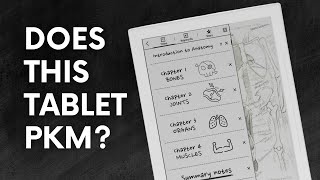
Supernote A6 X2 Nomad: The Ultimate Notebook Replacement? | Will It PKM?
11.9K views