
Focus your reading with Readwise Reader filtered views
🛍️ Products Mentioned (7)
2. Go deeper with Obsidian
3. Ask your productivity or PKM question and get it answered by Justin
My YouTube Gear
Obsidian
Readwise
Newsletter
Readwise
Get a 6️⃣0️⃣ day FREE trial of Readwise & Reader ➡️ https://readwise.io/justindirose/ The plight of most read-it-later apps is once you add items to the list, what do you do with them? Often they end up lost in a flood of items, never to be seen again. What sets Readwise Reader apart is, in addition to its triage workflow -- the ability to create filtered views. If you want to easily set aside a specific list that auto-updates itself based on parameters, you can do it! It's one of the most powerful features of Reader in my opinion. When you're ready, there are three ways I can help: 1. Join our newsletter for productivity tips: https://thinkeffective.co/join 2. Go deeper with Obsidian: https://obsidianmadesimple.com 3. Ask your productivity or PKM question and get it answered by Justin: https://airtable.com/shrJI8e1bPZ7uCJqd === FOLLOW Effective === 🏡 Newsletter: https://thinkeffective.co/join 📢 Twitter: https://twitter.com/_thinkeffective === GEAR === 🎥 My YouTube Gear: https://kit.co/justindirose/creator-gear === PKM Stack === 📝 Obsidian: https://obsidian.md 📖 Readwise: https://readwise.io/justin (affiliate)
🎬 More from Effective

How to Pair Notebooks with Digital Productivity Tools
1.6K views

Best Note Taking Tool for Generalists
718 views

5 years of productivity advice in 11 minutes
1.1K views

This might change productivity for you in 2025
723 views

Reflecting on my year of productivity (2024)
496 views
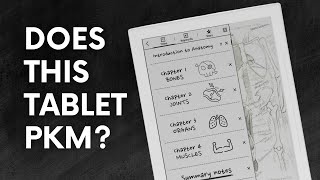
Supernote A6 X2 Nomad: The Ultimate Notebook Replacement? | Will It PKM?
11.9K views