
Octopus Max EZ v1.0 - Hotend and Automatic Cooling Fans
🛍️ Products Mentioned (7)
This is a basics tutorial on how to connect a hotend and setup and automatic cooling fan. BTT Octopus Max EZ v1.0 playlist link: https://youtube.com/playlist?list=PLP-VDZmS6bFpSAKdt6KQgaIZdm0uwN7w5&si=QIYbncjGShjiU1Dj One Time Tips, You Can PayPal Me: https://www.paypal.me/EBraiman Patreon: https://www.patreon.com/edbraiman buymeacoffee: https://www.buymeacoffee.com/ebraiman Discord Chat: https://discord.gg/JzhdGgr Required hardware: 1 - BTT Octopus Max EZ v1.0 1 - Hotend 1 - 24v Fan 1 - USB Cable SD Memory Cards Class 10 Required software: Documentation and Firmware https://github.com/bigtreetech/Octopus-Max-EZ/blob/master/Hardware/BIGTREETECH%20Octopus%20MAX%20EZ%20V1.0%20PinOut.png Software: Marlin Firmware 2.1.x http://marlinfw.org/meta/download/ Installing VScode: https://youtu.be/Nz-H0nwijwg Pronterface: https://www.pronterface.com/ #Octopusdiyshow
🎬 More from Ed's 3d Tech
Creality Ender 3 Upgrade - Endstop Replacement X Axis
2.0K views
BTT Manta M8P v2 - CB1 with eMMC Headless
3.4K views
BTT - Manta E3EZ - CB2 Building (Make) Klipper Firmware
4.4K views
BTT - Manta E3EZ - CB2 Simple EMMc install
7.0K views

Creality Ender 3 Upgrade - Extruder Calibration
588 views
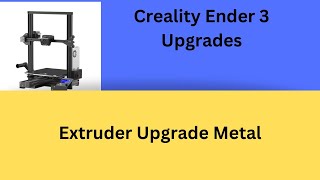
Creality Ender 3 Upgrade - Extruder Upgrade Metal
544 views