
Shopify Dawn Theme: Change COLOR of "Taxes, Discounts and Shipping Calculated at Checkout" in Cart
🛍️ Products Mentioned (2)

In this Shopify Dawn Theme tutorial, I’ll show you how to change the color of the "Taxes, Discounts and Shipping Calculated at Checkout" text in the cart. This change will apply to both the Cart page and Cart Drawer. Shopify Dawn Theme: Change COLOR of "Taxes, Discounts and Shipping Calculated at Checkout" in Cart #Shopify #ShopifyTutorial #ShopifyStore . 🔔 Subscribe for more Shopify tutorials: https://www.youtube.com/EcommerceTVOfficial?sub_confirmation=1 *************************** 💼 NEED SHOPIFY HELP? For Shopify work-related inquiries, please send me a Direct Message via Shopify Community. (Note: you will need to register an account to send direct messages) ✅ Shopify Community Profile (Nick_Marketing): https://community.shopify.com/c/user/viewprofilepage/user-id/969547 📍 Location: Toronto, Canada *************************** 🔴 MY CONTACT DETAILS ➤ https://linktr.ee/EcommerceTV *************************** If you enjoyed the video, I would appreciate it if you could Subscribe to my channel. In case you have an idea for a tutorial that I should record, please let me know in the comments section below.
🎬 More from Ecommerce TV by Nick

Shopify Dawn Theme: How to Change the "Checkout" Button Color on the Cart Page
179 views

Shopify Dawn Theme: How to Change Color of "This shop will be powered by Shopify" on Password Page
29 views
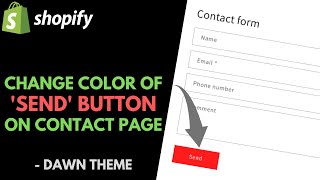
Shopify Dawn Theme: How to Change the "SEND" Button Color on the Contact Form
32 views

WooCommerce: How to Update the Regular Price of a Product | WordPress Tutorial
486 views

Shopify Dawn Theme: Change Color of SALE Menu Item in Navigation
115 views

Shopify Dawn Theme: Change Search Results Page Title Color
71 views