
How to turn Android or iOS Smartphone/tablet into IP security camera? (Use phone as IP camera)
🛍️ Products Mentioned (5)
CameraFTP Viewer is a FREE app for watching security camera videos. It supports live viewing, playback, and 2-way video & audio calling for some cameras. It is available on iOS, Android, Mac and Windows. (Download from
If you have an IP camera, NVR, smartphone, tablet or webcam uploading footage to
Drivehq Product
Please visit
CameraFTP features
If you have an old smartphone or tablet, you can use it as a cloud security camera. You just need to install CameraFTP Mobile Security Camera app. You can search "CameraFTP" in App Store or Google Play store, find the Mobile Security Camera app by DriveHQ CameraFTP. Then install it. ( Download from: https://cameraftp.com/cameraftp/software/download.aspx ) Launch the app, log in or sign up for a free trial, you can immediately start recording. It supports video, audio, image and time-lapse recording. You can adjust the recording parameters based on your service plan. It has the following advantages: 1. Low cost. You don't need to order a new device and wait for it to be delivered. 2. It's much easier to setup than a regular IP camera. The viewer app is even easier. 3. The camera quality is usually better than an IP camera. 4. It has a battery. (so it can work even if there is a brief power outage). 5. It supports mobile data connection. It also has a few disadvantages: 1. Smartphones and tablets usually don't support night vision; 2. Smartphones and tablets are for indoor use only. There are fewer models than IP cameras. 3. You need to launch an app to start recording. It cannot automatically start if rebooted. CameraFTP mobile security camera records footage to the cloud. It is more secure than local recording. With local recording, an intruder could steal or destroy your smartphone or tablet, your recorded footage would be lost. With cloud recording, the recorded footage is safe, and you can easily view your camera from anywhere with a web browser or CameraFTP Viewer app on your smartphone. It is very easy to try CameraFTP's service with a smartphone or tablet. You can change to a regular IP camera later if needed. CameraFTP is compatible with most IP camera models. For information about how to configure an IP camera, please visit cameraftp.com and click the Cameras tab. CameraFTP is a leading cloud recording service provider with very broad features. For more info, please visit https://www.cameraftp.com and click Features. https://cameraftp.com/CameraFTP/Features/ https://cameraftp.com/cameraftp/software/download.aspx https://cameraftp.com is a division of https://DriveHQ.com, a leading cloud IT service provider founded in 2003. DriveHQ and CameraFTP has over 20 years of track record offering top quality cloud service at very low price.
🎬 More from DriveHQ_CameraFTP
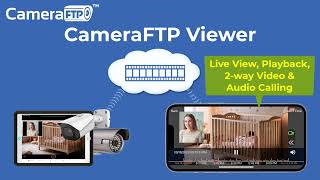
CameraFTP Viewer - Live View, Playback, 2-way Video & Audio Calling of IP camera, NVR & mobile cam
14.7K views
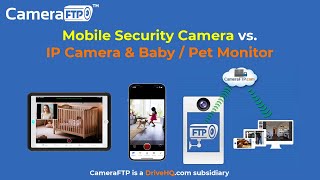
Mobile Security Camera vs IP Camera & Baby Monitor: Use Phone/Tablet as IP Camera & Baby/Pet Monitor
19.9K views

Advanced File Locking & Team Collaboration Solution for Adobe applications (Photoshop, AI, Acrobat)
144 views
File Locking and Team Collaboration for all file types, incl. Text, Wordpad and Adobe files
275 views
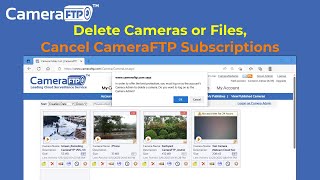
How to Delete Cloud Camera Folders/Files, Cancel CameraFTP Subscription, Reset Camera Admin Password
2.4K views
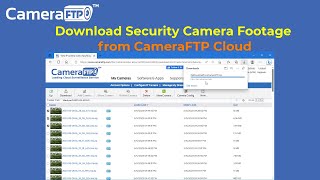
How to Download IP Security Camera Footage from CameraFTP Cloud Storage
1.6K views