
How to Setup FTP Server on Windows 11 - A Complete and Step-by-step Guide
🛍️ Products Mentioned (4)
This video offers a complete and step-by-step guide on how to setup an FTP server in Windows 11. It includes: 1: Add the FTP server feature to Windows 11. 2: create an FTP site using Microsoft Internet Information Server Manager 3: Create FTP user accounts using Computer Management. 4: Create a user folder and set access permission; 5: Set Passive FTP port range and configure firewall; 6: Test connection to the FTP server using command-line FTP and FileZilla; It also compares the solution with DriveHQ’s Cloud FTP service (https://drivehq.com/). Setting up an FTP server is not an easy task. For most small businesses, it is much easier to use a hosted FTP service, such as DriveHQ's cloud FTP server. For more detailed info, please visit https://www.DriveHQ.com, click Features, then click FTP Hosting: https://www.drivehq.com/features/ftp.aspx ----------------- CameraFTP (https://cameraftp.com/) is a division of https://DriveHQ.com. It is a leading cloud Recording, Home/Business Monitoring service provider. Founded in 2003, DriveHQ and CameraFTP has over 20 years of track record offering top quality cloud service at very low price.
🎬 More from DriveHQ_CameraFTP

CameraFTP Viewer - Live View, Playback, 2-way Video & Audio Calling of IP camera, NVR & mobile cam
14.7K views

Mobile Security Camera vs IP Camera & Baby Monitor: Use Phone/Tablet as IP Camera & Baby/Pet Monitor
19.9K views

Advanced File Locking & Team Collaboration Solution for Adobe applications (Photoshop, AI, Acrobat)
144 views
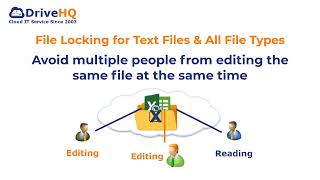
File Locking and Team Collaboration for all file types, incl. Text, Wordpad and Adobe files
275 views
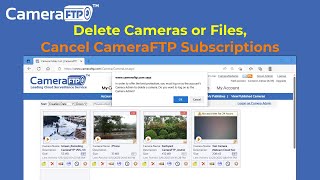
How to Delete Cloud Camera Folders/Files, Cancel CameraFTP Subscription, Reset Camera Admin Password
2.4K views
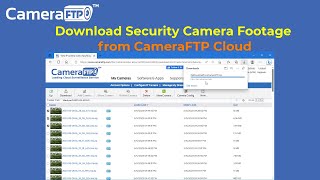
How to Download IP Security Camera Footage from CameraFTP Cloud Storage
1.6K views