
DriveHQ Cloud Service Feature Walkthrough 2 - Group Account
🛍️ Products Mentioned (2)
(https://www.drivehq.com/features/GroupManagement.aspx ) https://www.DriveHQ.com 's Group Admin feature is for businesses with multiple employees, or businesses that need to share files with multiple external clients. Please sign up an account on DriveHQ.com. Your first DriveHQ account is your Group Owner account. We recommend using a username that is associated with your Business Name. Now, log in to DriveHQ.com website as the Group Owner, then click Group Admin on top, you can create, add and manage sub-users for your team. "Add" means making an existing DriveHQ account a sub-account of your group. The user must explicitly agree to joining your group. "Create" means creating a new sub-account. Usually you will just click the Create button, then enter the username, password and email address. Most other fields are optional. DriveHQ has millions of users. Popular usernames are often used. We recommend using COMPANY_USERNAME as the username format, for example, instead of using "JohnDoe" as the username, you can use "DriveHQ_JohnDoe". For the email address, you can simply check the checkbox "Use DriveHQ email" or enter a real email address. Click Save, it will create a new sub-account. You can then provide the sub-username and password to the employee or client. A frequently asked question is: Do you need to allocate storage space and download bytes to a sub-user? Normally, you don't need to. The group owner can share folders with sub-users. Sub-users can access folders shared with them in the "DriveHQ Share" virtual folder. This way, they use the folder owner's storage space and download bytes. If you want a sub-user to store files in his or her own "My Storage", then you need to allocate storage space to the sub-user. Allocating storage to a sub-user will lower the Group Owner's storage space. You can re-allocate storage space among sub-users at any time. It is important to note that each user has his/her own "My Storage". By default, a user cannot access another user's My Storage. Therefore, folders in the Group Owner account are secure and private. The Group Owner can share different folders with different sub-users and set different permissions. Each sub-user can only access folders shared with him or her. There are 4 types of sub-users: (1) Regular group member: it is for regular employees. (2) Subgroup administrator: it is for branch or department managers. They can create or manage sub-accounts for their subgroups. Creating a subgroup administrator implicitly creates a subgroup. (3) Group administrator: it is for IT managers or system administrators. They can create or manage all sub-users, except the Group Owner. (4) Guest user: it is for external clients. They can access folders shared with them, but not group-shared folders. There are many more advanced Group Admin features, such as Group Options and Group Security. Please visit the features page for more info. --- Group Management feature page: https://www.drivehq.com/features/GroupManagement.aspx DriveHQ website: https://www.drivehq.com
🎬 More from DriveHQ_CameraFTP
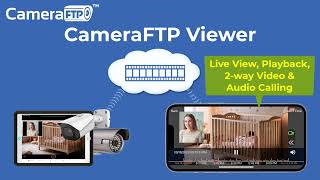
CameraFTP Viewer - Live View, Playback, 2-way Video & Audio Calling of IP camera, NVR & mobile cam
14.7K views

Mobile Security Camera vs IP Camera & Baby Monitor: Use Phone/Tablet as IP Camera & Baby/Pet Monitor
19.9K views

Advanced File Locking & Team Collaboration Solution for Adobe applications (Photoshop, AI, Acrobat)
144 views
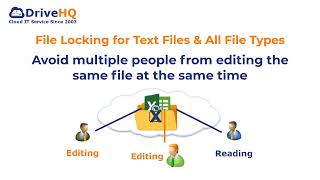
File Locking and Team Collaboration for all file types, incl. Text, Wordpad and Adobe files
275 views
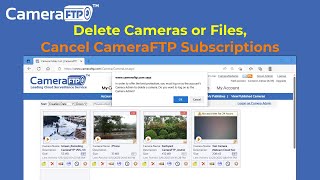
How to Delete Cloud Camera Folders/Files, Cancel CameraFTP Subscription, Reset Camera Admin Password
2.4K views
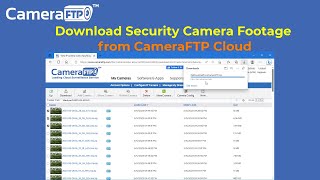
How to Download IP Security Camera Footage from CameraFTP Cloud Storage
1.6K views