
DriveHQ Cloud IT Service Feature Walkthrough 1 - Main Features (Cloud File Server, FTP, Sharing...)
🛍️ Products Mentioned (4)
Welcome to DriveHQ (https://DriveHQ.com/), a leading business cloud IT service provider since 2003. We offer very broad business cloud IT features, incl. the most efficient and reliable WebDAV Drive Mapping service/Cloud File Server, FTP and SFTP hosting, Cloud File Sharing & Collaboration, Complete Data Backup, etc. In this video, we will take you for a quick walkthrough of our main features. First, please launch your web browser and log in to https://DriveHQ.com/. If you don't have an account, please sign up for a free account first. After login, you will see the My Storage page. It is like Windows File Explorer. On the left-hand side, it displays a folder tree; on the right hand side, it displays a list of folders and files. On top, it displays a toolbar for managing folders/files. You can upload, download, create, share, publish, copy, cut and paste files and folders. If you only need one account, then it's extremely easy. You can just install DriveHQ WebDAV Drive Mapping Tool to map cloud storage as a local drive. To download WebDAV Drive Mapping Tool, please click the Software tab on top, then click DriveHQ WebDAV Drive Mapping Tool to download it. After you install it, please launch it, and log in with your DriveHQ username/password. You can then map the root folder as a cloud drive. As you can see, your cloud storage is mapped as "Drive Z:". It looks and works just like your local drive. You can use Windows File Explorer (or Mac Finder) to access your files and folders. For more detailed information about Webdav Drive Mapping, please read the "Drive Mapping Software" Manual. If you need to upload or download huge amount of data, We recommend using DriveHQ FileManager. It is our native client application. You can upload or download any number of files and folders with drag and drop. FileManager can be downloaded from the same Software page. By default, FileManager displays cloud files in the left-hand side and local files in the right-hand side. You can drag and drop files and folders between the left and right sides. FileManager has a very powerful synchronization feature. It can synchronize any local folder with any cloud folder; it supports multiple sync tasks, one-way and two-way sync tasks, real-time and scheduled sync tasks. FileManager has many other features, such as Sharing/publishing folders, client-side data encryption with encrypted folder, directly editing and saving cloud files, etc. For businesses that need multiple accounts, please continue watching Group Account Management. -------------------- DriveHQ features page: https://www.drivehq.com/features/featurelist.aspx DriveHQ website: https://www.drivehq.com CameraFTP (https://cameraftp.com/) is a division of https://DriveHQ.com, a leading cloud IT service provider founded in 2003. DriveHQ and CameraFTP has over 20 years of track record offering top quality cloud service at very low price.
🎬 More from DriveHQ_CameraFTP
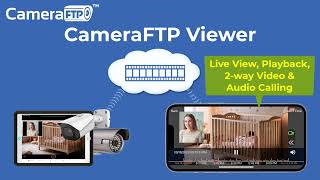
CameraFTP Viewer - Live View, Playback, 2-way Video & Audio Calling of IP camera, NVR & mobile cam
14.7K views

Mobile Security Camera vs IP Camera & Baby Monitor: Use Phone/Tablet as IP Camera & Baby/Pet Monitor
19.9K views

Advanced File Locking & Team Collaboration Solution for Adobe applications (Photoshop, AI, Acrobat)
144 views
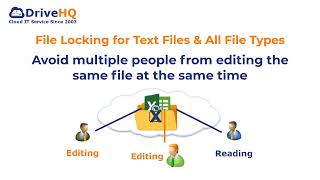
File Locking and Team Collaboration for all file types, incl. Text, Wordpad and Adobe files
275 views
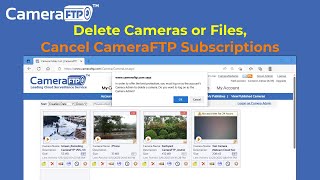
How to Delete Cloud Camera Folders/Files, Cancel CameraFTP Subscription, Reset Camera Admin Password
2.4K views
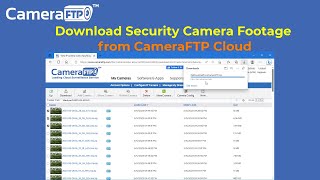
How to Download IP Security Camera Footage from CameraFTP Cloud Storage
1.6K views