
NVivo Free Transcription - How to Sign Up For Free - NVivo Transcription Add-On - NVivo Free Trial
🛍️ Products Mentioned (6)
Download NVivo (Latest Edition) for Windows
Download NVivo (Latest Edition) for Mac
NVivo Transcription Details
Official Website
How to Sign Up for a Free Trial Account for NVivo 15
Lumivero Product
In this video, Dr. Muhammad Awais, a certified NVivo expert, walks you through the process of using the free transcription add-on in NVivo 15. If you're working on a research paper, dissertation, or any project that involves data analysis using NVivo, this video is a must-watch! Dr. Muhammad Awais begins by introducing himself and explaining how he offers one-on-one guidance for researchers who need help making sense of their data using NVivo. He provides his (email) contact details for anyone interested in personalized assistance. 🔗 Links and Resources: NVivo Transcription Product Login (For Signup Also): https://lumivero.com/customer-login/ Official Website: https://lumivero.com/ Subscribe to This Channel: https://www.youtube.com/@DoctorSQ?sub_confirmation=1 Download NVivo (Latest Edition) for Windows: https://download.qsrinternational.com/Software/NVivo14/14.23.2.46-External/NVivo.x64.exe Download NVivo (Latest Edition) for Mac: https://download.qsrinternational.com/Software/NVivo14forMac/14.23.2.41/NVivo14.dmg Link to sign up for a free NVivo account https://lumivero.com/resources/free-trial/ Send an Email to Contact Dr. Muhammad Awais for One on One Guidance: mawwaisgill@gmail.com Link to access the NVivo transcription add-on: NVivo Transcription Details: https://lumivero.com/products/nvivo-transcription/ The focus of this video is the transcription feature in NVivo, which allows you to transcribe audio and video files quickly and accurately. Dr. Awais explains how to access and activate the free trial of the transcription add-on, which provides you with 15 minutes of transcription time. He also shows step-by-step how to sign up or log into the NVivo portal, where you can manage your add-ons and enable the free trial for transcription. He then demonstrates the process of importing files into NVivo and transcribing them using the free trial. Dr. Muhammad Awais uses a sample file named "Betty and Paul" to guide you through the entire workflow, from uploading the file to reviewing and editing the transcription. He highlights how to easily assign speaker names to differentiate between various speakers within your transcription and mentions the useful feature of attaching the transcription directly to your audio or video file within NVivo. Dr. Muhammad Awais also provides helpful tips on how to review the accuracy of the transcription and modify speaker names to ensure a clearer understanding of your data. He emphasizes the practical applications of this feature, especially for researchers handling interviews or qualitative data in audio or video formats. This video is a comprehensive guide for anyone looking to explore NVivo’s transcription capabilities and make the most of the free trial before deciding whether to invest in the full add-on. If you are new to NVivo or are considering using the software for your research projects, this video will give you a clear insight into how NVivo 15 can streamline your transcription tasks. At the end of the video, Dr. Muhammad Awais reiterates his expertise in NVivo and invites viewers to reach out for any guidance they might need with their research projects. He encourages you to subscribe to his channel, Dr. Square, for more tutorials and tips on NVivo and other research tools. Don't forget to like, comment, and subscribe for more helpful tutorials and to stay updated with the latest NVivo tips and tricks! Happy transcribing! What is NVivo? NVivo is a qualitative data analysis software used by researchers to organize, analyze, and interpret unstructured data like text, audio, video, and images. It supports data coding, pattern recognition, text analysis, and visualization, helping researchers identify trends and themes in their data. NVivo integrates with tools like Microsoft Word, Excel, and reference management software to streamline workflows. It also offers collaborative features for team projects and a transcription service to convert audio and video files into text. Overall, NVivo is widely valued for its ability to make qualitative research more systematic, reliable, and insightful. NVivo is particularly valuable for researchers in social sciences, health sciences, education, and market research, where qualitative data is often complex and extensive. Its ability to handle diverse data types, from interview transcripts to social media content, makes it a versatile tool for exploring in-depth insights and understanding underlying patterns. The software's advanced capabilities, such as sentiment analysis and the easy categorization of data, make it easier for users to draw meaningful conclusions. #nvivo #NVivoTranscription #transcription #freenvivo #freetrialnvivo #qualitativeanalysis #qualitativeresearch #transcriptionsoftware #datascience #dataanalysis #datavisualization #nvivoworkshop #ResearchDataTranscription #nvivotutorial #manualcoding #howto #NVivo15 #learnnvivo #transcribing #transcriptionist
🎬 More from Doctor Square
No Login Required | Download TikTok Posts Data to Excel in 2026 | Export TikTok to CSV for Research
167 views
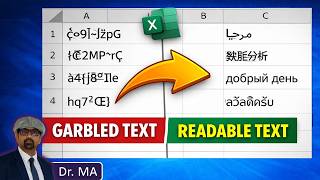
Fix Non-English Text in Excel - Fix Unreadable Multilingual Text in Excel
370 views
Download Twitter Data to Excel (No Coding) - 2026 | Export X Tweets to CSV
2.2K views
SciSpace New Features in 2026 - My Library, Zotero, Save to Notebook and Generate Report
79 views
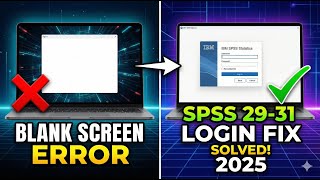
SOLVED: How to Fix SPSS Login Blank Screen Issue | SPSS 31, 30 & 29 Trial Activation Fix
3.7K views

Can We Really Detect AI Writing in Research Papers? Testing SciSpace AI Detector
55 views