
🚨 STOP Your Streaming Device Buffering NOW
🛍️ Products Mentioned (3)
🚨 If your streaming device keeps buffering, freezing or lagging… this should help fix it. A lot of buffering problems are caused by simple settings, slow apps, or setup issues—and most users never realise it. 👉 Learn more here 🔗 https://docsquiffy.com 👉 Get the protection deal I use 🔗 https://www.docsquiffy.com/vpnoffer Follow on Socials 🔗 https://linktr.ee/Docsquiffy In this video I’ll show you how to stop buffering on Firestick, Android TV and streaming devices, improve speed, and make your device run smoother. Even devices like the Amazon Fire TV Stick from Amazon can buffer due to settings, apps, storage or connection issues—not just internet speed. 🔥 What you’ll see in this video • How to stop buffering on streaming devices • Common causes of buffering • Speed and performance fixes • Settings you should change • Tips to improve streaming performance 📺 Works on ✔ Firestick / Fire TV ✔ Android TV ✔ Google TV 👍 Like if this helped fix buffering 🔔 Subscribe for more Firestick tips, streaming fixes and guides 📤 Share with anyone dealing with buffering ⚠️ Results may vary depending on internet speed, apps and setup. #firestick #buffering #androidtv
🎬 More from Doc Squiffy
WARNING - Most Important FIRESTICK Setting is HIDDEN! (Turn it OFF Now)
9.3K views
New FIRESTICK UPDATE - You must TURN OFF NOW! (They are trying to Catch you)
93.1K views
🚨 New FIRESTICK Feature Finally Added! (No Longer Hidden)
23.6K views
🚨 The END of FIRESTICK? Not on My Watch!
12.0K views

🚨 30+ Years JAIL Time for Streaming!
16.4K views
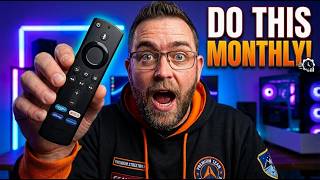
🚨 You MUST Do This Every Month on Your FIRESTICK (2026)
89.3K views