
How to setup Conversions for LinkedIn Advertising | Step by Step Tutorial
🛍️ Products Mentioned (1)
In this step by step tutorial we go over setting up LinkedIn Conversions. LinkedIn conversions allow you to track custom conversions for your LinkedIn advertisements. Custom conversions are objectives on your website like, email signups or Ebook downloads. Conversions will allow you to better understand how your ads are performing, and if your ads are really achieving what they're supposed to. In this video we go over: 00:00:13 What conversions can be used for. 00:01:30 How to set up LinkedIn Insight Tag. 00:03:35 How to create a Conversion. 00:07:47 How to create a LinkedIn ad optimised for a conversion. If you need help with setting up an advertisement, checkout https://youtu.be/YpUA5y9IOMo You should definitely be using LinkedIn Conversions because it allows you to track if your ads are actually succeeding. And this can be useful when reporting your results and understanding where to spend your money. For more tutorials, checkout our blog! https://www.ipmmedia.net/blog And don't forget to subscribe!
🎬 More from The Digital Handbook

SKY ROCKET your SALES with INSTAGRAM INFLUENCER MARKETING using InstaJet
1.5K views
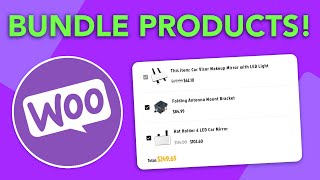
How to BUNDLE and UPSELL with WOOCOMMERCE - For Wordpress & Woocommerce Websites
810 views

How to Join a Telegram Channel (Mobile & Desktop Tutorial)
54.6K views
How to Grant Someone Access to your Facebook Ad Account
14.7K views
How to Find your Facebook Business ID - Updated for 2022
13.3K views

How to Rearrange Woocommerce Products on your Wordpress eCommerce Shop
2.9K views