
How to Find Keywords for Google Ads | Google Keyword Planner Tutorial
🛍️ Products Mentioned (1)
In this video I go over how to find cheap keywords for your Google Ads. We use Google Keyword Planner to generate keywords, and then find the cheapest and lowest competition keywords. By finding the cheapest keywords, it means your Google Ads will be less expensive, which means you can spend less money to generate more clicks. When trying to find cheap keywords fo your Google Ads campaign, you can use the filter in Google Keyword Planner. The filter enables you to filter by many categories. But the most important filter I use is "competition" and "maximum cost per top of page bid". Essentially by adjusting these two filters, you can find low competition keywords, that are also inexpensive. Now once you have found these inexpensive and low competition, but still high traffic keywords. You can export them to use in your Google Ads campaign. For more tutorials, checkout our blog! https://www.ipmmedia.net/blog And don't forget to subscribe!
🎬 More from The Digital Handbook

SKY ROCKET your SALES with INSTAGRAM INFLUENCER MARKETING using InstaJet
1.5K views
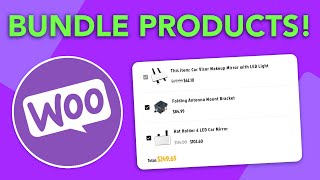
How to BUNDLE and UPSELL with WOOCOMMERCE - For Wordpress & Woocommerce Websites
810 views

How to Join a Telegram Channel (Mobile & Desktop Tutorial)
54.6K views

How to Grant Someone Access to your Facebook Ad Account
14.7K views

How to Find your Facebook Business ID - Updated for 2022
13.3K views

How to Rearrange Woocommerce Products on your Wordpress eCommerce Shop
2.9K views