
The Essential Homelab Accessory: Why You Need a NAS Right Now
🛍️ Products Mentioned (5)
Discover the ultimate Homelab accessory for Engineers, Content Creators, and Tech Enthusiasts alike! In this video, we dive into the world of Network Attached Storage (NAS) devices and why they're essential for a modern Homelab setup. In this video we'll focus on the Synology NAS and I use it to run my Docker containers, take part in my Kubernetes Cluster and Docker Compose file for my Homelab: https://github.com/devopsjourney1/homelab-services My Setup below (affiliate links) Synology DiskStation (I use DS723+): https://amzn.to/3ZVbwPZ IronWolf 12TB NAS Internal Hard Drive HDD: https://amzn.to/3mWc21B Synology M.2 NVMe SSD: https://amzn.to/3yI7UEW Synology RAM 4GB https://amzn.to/3lexgXV 📘 Chapters: 0:00 About my Nas 1:20 Docker and Virtual Machine Manager 4:35 Remote Access with Tailscale 5:23 NAS Features: ActiveBackup, CloudSync, Drive, Snapshots 9:39 Synology NAS Hardware 12:26 Creating a VM in Synology Virtual Machine Manager 14:00 How I use ActiveBackup to backup my workstation 15:45 Setting up CloudSync to Sync my data to AWS S3 18:10 Tailscale (Remote Access VPN) 19:48 My Docker Setup Synology #Homelab #NAS #Synology #NetworkAttachedStorage #Docker #Kubernetes #PiHole #Tailscale #DevOps #TrueNAS #OpenMediaVault
🎬 More from DevOps Journey
Portainer: The Ultimate Kubernetes Management Tool
3.7K views
Modern Infrastructure CI/CD with Spacelift
3.7K views
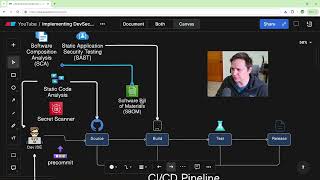
How to Create a DevSecOps CI/CD Pipeline
64.0K views

Solving Microservice Complexity with OpenTelemetry and Lumigo
3.3K views
The Anti-Malware browser that Self Destructs
1.6K views

Argo Rollouts in 15 minutes!
21.6K views