
Take Control of Your Passwords with Passbolt! The Open-Source Password Manager
🛍️ Products Mentioned (4)
docker-compose I use for my Passbolt homelab setup
Passbolt's Website
$200 in Digital Ocean Credits for the first two months (referral link)
Want to show your support? Star Passbolt's Repository to share your support for Open Source Password Managers!
It's time to change your Password manager. With Passbolt you can host your own Password Manager on your Homelab or in a Cloud Environment like AWS or Digital Ocean. In this video, we'll explore Passbolt, a powerful and secure open-source password manager that allows you to take control of your passwords. docker-compose I use for my Passbolt homelab setup: https://github.com/devopsjourney1/passbolt Passbolt's Website: https://www.passbolt.com Use Code "DEVOPS-JOURNEY" for 20% off after a 14 day free trial of Passbolt Pro and Cloud version. Don't have a Homelab setup yet? Try hosting your Passbolt server on Digital Ocean! $200 in Digital Ocean Credits for the first two months (referral link): https://bit.ly/3IuaPFK 0:00 What is Passbolt? 1:30 Deploying Passbolt to a Cloud Provider (Digital Ocean) 3:17 Setting up HTTPS using Let's Encrypt 6:10 Passbolt initial setup 9:18 Passbolt Docker Setup (how I have it in my Homelab) 13:23 Exploring Passbolt Features, MFA, Notifications 15:21 Creating/Importing/Using Passwords 16:48 Passbolt CLI access to Create/Access Passwords 19:46 Passbolt Cloud - Managed Version of Passbolt Want to show your support? Star Passbolt's Repository to share your support for Open Source Password Managers! https://github.com/passbolt/passbolt_api
🎬 More from DevOps Journey
Portainer: The Ultimate Kubernetes Management Tool
3.7K views
Modern Infrastructure CI/CD with Spacelift
3.7K views
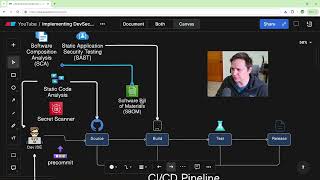
How to Create a DevSecOps CI/CD Pipeline
64.0K views

Solving Microservice Complexity with OpenTelemetry and Lumigo
3.3K views
The Anti-Malware browser that Self Destructs
1.6K views

Argo Rollouts in 15 minutes!
21.6K views