
How I Turn Old Photos Into New Branded Content with Nano Banana AI
🛍️ Products Mentioned (10)
Blog article for this video
AI Studio Unofficial (Watermark-Free Nano Banana Web App)
Higgsfield AI (paid option for high-end, watermark-free image generation)
Freepik AI Generator (alternative AI image editor with commercial usage options)
10 brand concepts built in 30 minutes using the Mood Board Method and Gemini. Coaches, consultants, and course creators... this is the fastest way to go from a one-sentence idea to a full visual direction. Get the full s...
Nano Banana Image Hacks
Gemini AI Studio
Google Gemini (free AI tool)
ChatGPT
Google Mixboard (Experimental layout tool)
🔥 Learn how to use Style Transfer Prompts with Nano Banana (Gemini 2.5 Flash) to instantly create branded AI images that match your visual identity. No Photoshop or reshoots needed. 📝 Blog article for this video: https://www.designhacker.com/blog/ai-style-transfer-prompts ⚡ Free Nano Banana Training & Resources: https://www.imagehacks.com 🎨 Mood Board Method Course & Prompts: https://www.moodboardmethod.com 🧠 This Style Transfer Prompt tutorial walks through my complete process for building branded AI image systems using Google’s Nano Banana model. You’ll see how I turn old photos into fresh, cohesive content for sales funnels, websites, and marketing materials, all while preserving the original subject’s pose, expression, and identity. Instead of regenerating new images from scratch, Style Transfer Prompts apply your brand’s style to existing photos. It’s like building your own reusable “AI filter” that applies lighting, color, background, and scene details in seconds. 🛠 TOOLS + RESOURCES MENTIONED 👉 Image Hacks (Free training + resources): https://www.imagehacks.com 👉 Nano Banana Image Model (Gemini 2.5 Flash) for identity-preserving image edits 👉 Google Gemini: https://gemini.google.com 👉 Google AI Studio: https://aistudio.google.com 👉 Google Mixboard (for bulk image testing): https://mixboard.google.com 👉 AI Studio Unofficial (Watermark-Free Nano Banana Web App): https://aistudio-unofficial.vercel.app 👉 ChatGPT (for prompt building): https://chat.openai.com 👉 Higgsfield AI (paid option for high-end, watermark-free image generation): https://higgsfield.ai/ 👉 Freepik AI Generator (alternative AI image editor with commercial usage options): https://www.freepik.com/ 📌 VIDEO CHAPTERS 0:00 Introduction to AI Style Transfer for Branded Images 0:30 Why This Is a Important for Your Brand 1:15 The Problem with Inconsistent Photo Styles 2:05 My Journey Through the 4 Levels of AI Image Editing 3:10 Level 4: Style Transfer That Preserves Your Face 4:05 What You'll Learn in This Training 5:10 Introducing the Mood Board Method Course Training 6:00 Demo: The AI Style Transfer Prompt Library 6:45 Testing the Showman Fractured Spotlight Style 7:10 Bulk Editing Multiple Images with Mix Board 8:05 Pre-Made Prompts vs Creating Your Own 8:45 Adding Custom Text and Instructions to Prompts 9:50 Overriding Core Prompts with Specific Details 10:45 Seeing the Results: Fast Batch Editing 11:20 Creative Examples: High Contrast Fruit Themes 11:50 Training Recap: Tools and Workflow Summary 12:50 Bonus #1: Watermark-Free Image Generation 13:35 Bonus #2: More Custom Branded Examples 14:20 Real Use Cases: Podcasts, Summits, and Panels 15:00 Final Thoughts and Next Steps 💡 WHAT YOU’LL LEARN ﹂How to edit photos with AI while keeping the same face, pose, and expression ﹂How to build reusable style prompts that define your brand’s look ﹂How to organize and test prompts inside Notion ﹂The best tools for consistent branded visuals (Gemini, AI Studio, Mixboard) ﹂How to create style systems clients can use across funnels and websites ﹂Bonus: How to remove the Gemini watermark with a new free tool 🔍 YOU SHOULD WATCH THIS VIDEO IF YOU’RE LOOKING FOR: ﹂How to edit photos with AI without losing your face or expression ﹂How to make branded images fast using free AI tools ﹂How to restyle old photos for marketing and content creation ﹂AI photo editing tutorials for business owners and creators ﹂How to create consistent brand visuals across social media and funnels ﹂How to design your own AI filters or presets for brand identity ﹂How to batch edit multiple images with AI ﹂The best AI tools for branded content creation (Gemini, AI Studio, Mixboard) ﹂How to use AI to design sales pages, websites, and ad visuals ﹂How to make your content look professional without Photoshop ﹂How to turn old brand photos into new marketing assets ﹂AI ideas for creators, marketers, and designers building personal brands ABOUT ANDREW: Andrew Lane, Founder of Design Hacker, has built multiple 7-figure brands and now teaches entrepreneurs how to use AI to build systems that create consistent visuals at scale. His Mood Board Method and Style Transfer Prompt Library show how to design branded AI workflows that save time and elevate creative quality across every channel. 👉 Disclaimer: This video includes educational demos and real project examples. Any third-party brands, logos, or images shown are used only for illustration. Always use AI tools responsibly and avoid generating trademarked or copyrighted content for commercial use without permission. Topics in this video: Style transfer prompts, Nano Banana AI image editing, Gemini 2.5 Flash tutorial, AI photo editing workflow, branded content with AI, Gemini AI Studio, Google Mixboard, Notion prompt library, watermark-free AI generation, AI for branding, creating filters with AI prompts, AI tools for creators, Mood Board Method
🎬 More from Andrew Lane | Design Hacker

Live Build: The Notion + Claude AI Command Center for Your Business
950 views

10 Brand Identities in 30 Minutes ⚡️ AI Mood Board Method Live
1.7K views
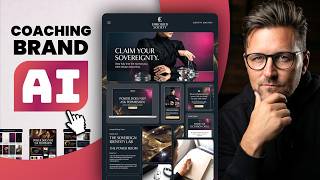
Gold and Magenta Editorial Brand Built Live with AI
370 views

AI Logo Design for Beginners: Mascot, Stickers, and Vector Files in One Session
438 views

I built this COACHING brand identity in 60 mins with AI (Live Demo)
659 views

I built this AI AGENCY brand identity in 60 mins with AI (Live Demo)
2.5K views