
Is this your channel?

Switchbot app
I used the SwitchBot app to set up the K10+, run the initial mapping, and then dial in room schedules and cleaning plans. It also gives you the settings that matter—like Do Not Disturb/quiet time, dust collection frequency, no-go zones, and even NFC control. If you’re buying into SwitchBot gear, the app is basically the control center that makes it all usable day to day.
Pros
- +Easy device setup and guided prompts
- +Room scheduling, cleaning plans, and map editing
- +Quiet time/Do Not Disturb controls for night runs
- +Supports features like NFC control and firmware updates
Cons
- -You need the app to access most features and settings
- -Mop/vacuum mode changes require managing attachments and settings
What Delyn Stirewalt says
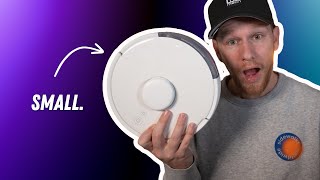
“99 which is an absolute steal for this product make sure you use the link in the description to check it out and maybe grab a lastic and Christmas gift Inside the Box you get the vacuum the base station instructions a packet of wipes we'll get to that in a minute a couple brushes and an extra filter for the vacuum setup is pretty straightforward of course you'll need the switchbot app to do so so make sure you have that downloaded I'll put a QR code on the screen here so you can grab it easily but it will also be linked in the description to get it set up in the app you'll just hit the plus button at the top and choose your vacuum and follow the prompts once you have the vacuum added to your home you'll actually have the opportunity to run the vacuum for the first time to create a map by choosing the vacuum or simply just create the map I chose the map only option as it seemed to me it would likely go faster since it didn't have the vacuum while it mapped but honestly I can't really say if that's the case or not after your vacuum finishes mapping it will alert you and there you can set up your rooms schedules and even create a cleaning plan which will allow you to set the standard cleaning option for each room when you start the vacuum digging into the settings you get a bunch of options do not disturb time sound volume of the robot's voice prompts dust collection settings which let you decide how frequently it empties a dust bin the button light on the vacuum child lock which is the only reason I can put my vacuum in the forye to clean regularly reduced Collision mode which seems to work okay carpet mode to kick up the suction on the carpets restart reconnect cloud services which allows you to connect it to certain smart home assistants NFC so you can operate the vacuum by tapping an FC tag and then FAQ firmware and device info under the more category you have a ton of helpful options like editing your map viewing and selecting your map which updates every time you run the vacuum schedules cleaning report voice package so you can choose which voice comes out of the robot remote control mode find robot if it gets lost under a couch or something and accessory usage life then of course you have cleaning times room division options noo zones empty dust bin which can be turned on or off and the robot mode vacuum or mop which changes depending on whether you have the mop Detachment on or not in use it vacuums pretty much as well as my Robo Rock S6 pure did I was actually very impressed it's very quiet even on its standard setting I run it every night around 1:00 a”
Featured in this video
Switchbot app
Available on Apps
External purchase
Highlights
- +Easy device setup and guided prompts
- +Room scheduling, cleaning plans, and map editing
- +Quiet time/Do Not Disturb controls for night runs
Recommended by
Delyn Stirewalt