
How to Schedule Posts DIRECTLY ON LINKEDIN
🛍️ Products Mentioned (2)
📈 BUILD A LINKEDIN GROWTH SYSTEM that attracts your ideal clients! Book a private, one-hour consultation with me to tackle your LinkedIn challenges and map out your next steps. 👉 https://www.deshoutout.com/1-hour-consultation/ I've worked one-on-one with hundreds of business owners to create a LinkedIn strategy and implementation plan that accelerates their business -- and is easy and fun to run! I want you to have a LinkedIn presence you can be proud of. P.S. - I also offer a 10-hour consultation retainer, where we meet over a series of Zoom calls. I'm your personal strategist and accountability partner. For details: https://www.deshoutout.com/deep-dive-program/ Have you seen me roast bad LinkedIn posts? https://youtu.be/vHYBK9aNFfA --- Video summary: In this video, we explore LinkedIn post scheduling, a feature for desktop and Android users that allows professionals to plan and automate their content strategy. You’ll learn how to schedule posts directly from your personal profile, including single-photo posts, video posts, document posts, and celebratory or help-oriented posts. While polls, job postings, events, company pages, group posts, and reshares aren’t supported yet, this feature helps social media managers, LinkedIn marketers, and content creators maintain a consistent publishing schedule and optimize visibility. We also break down the limitations and best practices for scheduling LinkedIn content, such as setting posts at least one hour in advance, and understanding that scheduled posts cannot be edited—only rescheduled or deleted. By leveraging this feature, you can strategically plan high-quality, engaging content to maximize organic reach, likes, comments, shares, and clicks. Scheduling posts also helps professionals avoid manual posting stress and ensures content consistency, which is critical for growing a LinkedIn audience and enhancing personal and brand authority on the platform. Finally, I provide a hands-on tutorial showing exactly where to schedule posts, how to view all scheduled content, and how to manage rescheduling or deletion. Beyond scheduling, I emphasize the importance of creating the right posts that capture attention and drive engagement. For more actionable strategies on crafting high-performing LinkedIn content, check out my companion video where I critique bad LinkedIn posts and show how to fix them, ensuring your LinkedIn marketing strategy is both efficient and effective.
🎬 More from Delaware ShoutOut - LinkedIn Strategies
From LinkedIn to Podcasts (Your New Game Plan)
131 views
Crush Your Self-Doubt & WIN on LinkedIn
140 views
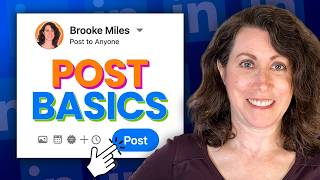
How to Post on LinkedIn (2025 Beginner’s Guide)
2.5K views
This LinkedIn DM Experiment Got INSANE Results!
819 views

Which LinkedIn Images DESTROY Engagement?
654 views
LinkedIn Q&A LIVE - Answering Your Burning Questions!
107 views