
Improve User Experience and Boost Engagement with Debutify’s Back to Top Widget!
🛍️ Products Mentioned (13)
Start for $1
Theme Sections
Email Marketing
Debutify AI Theme Builder

Shopify
AutoDS
Try Debutify for $1
Debutify Product

Install Debutify Reviews on Shopify
Earn 25% Recurring Commissions
Join Our Community
Trusted by 9,000+ Brands – See the Reviews
For any query you can visit here
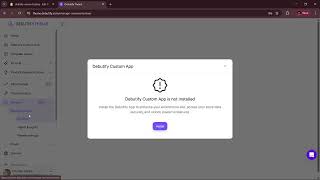
📌 Build Your Shopify Brand in Minutes — Powered by AI Start for $1: https://www.debutify.ai Enhance your Shopify store’s user experience with the Back to Top Widget in the Debutify theme 8.8. 🎥 In this video, I walk you through how to customize the Back to Top widget, giving your store a sleek, professional look while improving navigation. Whether you prefer a minimalist arrow or a floating button, you’ll see how to implement different styles with zero coding required. This widget makes it easy to encourage users to return to the top of your page quickly, improving their shopping experience and reducing bounce rates. ⭐ What’s Inside This Video: ✔ How to access and enable the Back to Top widget in Debutify ✔ Full demo of different customization styles (minimalist, floating, sticky) ✔ How to match the widget to your store's branding ✔ Best practices for improving user navigation with this widget ✔ Step-by-step setup with no coding needed 🎯 This Video Helps to: Shopify store owners Debutify theme users Beginners (no coding required) Ecommerce store designers Anyone looking to improve Shopify store navigation 📢Important: This widget applies only to Debutify Theme version 8.8 and above. If you’re using an older version, some features may not work as shown. Please ensure your theme is updated to the latest version to follow along with this guide. For any query you can visit here: https://debutify.com/help-center Tools I recommend: Theme Sections: https://www.themesections.ai/ Email Marketing: https://www.predictamail.ai/ AI Download the Free Ecom Prompt Pack → 🔧 AI Tools Featured: • Debutify AI Theme Builder → https://platform.debutify.com/signup • Shopify → https://shopify.pxf.io/c/2789899/1101159/13624 • AutoDS → https://platform.autods.com/register?ref=Mjk1OTYxMw== • .Storedomains → 🎥Watch Next: https://youtu.be/JVoGo6F_vFI?si=Qh-n_-qhs93hl-JF https://youtu.be/7GPVoCNQCRA?si=-8FiHpNEBKUp0xfY https://youtu.be/ujckcjG_J40?si=WM-8bDr1YPMoG-G- 🔥Try Debutify for $1 → https://www.debutify.com 🎨 https://www.debutify.com/demo 🛍️ Install Debutify Reviews on Shopify: https://apps.shopify.com/debutify-reviews?show_store_picker=1 🛒 Start Your Shopify Trial for Just $1 → https://shopify.pxf.io/c/2789899/1101159/13624 💸 Earn 25% Recurring Commissions → https://www.referral.debutify.com 💬 Join Our Community → https://discord.com/invite/DX3x9TTNW6 📩 Work With Us • Freelancers & Agencies → affiliates@debutify.com • Business Inquiries → partners@debutify.com 💬 Let's Connect 📘 Facebook: https://www.facebook.com/debutifycorp 📸 Instagram: https://www.instagram.com/debutify 🎵 TikTok: https://www.tiktok.com/@debutify 🐦 Twitter (X): https://x.com/debutify 💼 LinkedIn: https://www.linkedin.com/company/debutify/ ✅ Trusted by 9,000+ Brands – See the Reviews → https://au.trustpilot.com/review/debutify.com 👍 Like the video? Smash the like button, comment below, and subscribe for more AI-powered ecommerce hacks every week! #Debutify #BackToTopWidget #DebutifyWidgets #ShopifyUI #ShopifyDesign #EcommerceDesign #DebutifyTheme #widget #Shopify #Shopifytheme #Widgets
🎬 More from Debutify
How to Use the Rich Text Section in Debutify Theme
0 views
How to Use the Separator Section in Debutify Theme
9 views
How to Update Debutify Theme in Shopify (Step-by-Step Guide 2026)
71 views
How to Fix Debutify Theme “Upgrade Required” Popup (All Plans Explained)
32 views
Setup Debutify Reviews: DTM Integration Guide
42 views
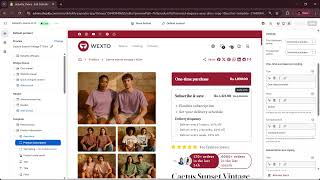
Turn One-Time Buyers into Subscribers! (Debutify Theme)
55 views