
Strava Messaging: Everything in 2 minutes!
Here's everything you need to know about Strava Messaging in one quick video! This is not a complex feature, nor hard to use. Starting today, the “social network for athletes” includes the most social of features: Texting. Or rather, direct messaging. This new feature lets you (optionally) accept direct messages from nobody, everyone, or only people you follow. Within that, you can send text messages as well as a dedicated button for sharing Strava routes. Further, you can send GIF’s - because obviously, messages without meme’s are nothing but failed KOM attempts. And there you go - in two sentences, you know everything there is to know about this feature. But, since you clicked on this headline or video, I’ll show you how it works. First up, as always with new Strava features, it might not immediately show up on your account. Do the usual dance of ensuring your app is updated, opening/closing your app, getting a coffee, or just coming back next week. #Strava #StravaTips #Cycling #Running
🎬 More from DC Rainmaker
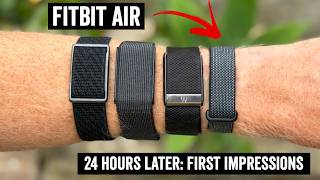
Fitbit Air: 24 Hours Later
353.4K views

Garmin Forerunner 70 vs 170 Comparison: All 27 Differences Hands-On!
32.1K views

Garmin Forerunner 70 In-Depth Review: 77 New Things To Know!
39.7K views

Fitbit Air Explained: A True Whoop Competitor?
130.9K views

Polar Street X In-Depth Review: What's the Catch?
17.9K views

Zwift Acquires Rouvy: All Your Questions Answered!
55.4K views