
Apple WatchOS 26: Everything New You Need To Know!
Here's everything you need to know about WatchOS 26, from start to finish, including all the new fitness features like Workout Buddy and more! Apple has added a slate of other features to WatchOS 26, so let’s just run through them real quick: – New Liquid Glass design style, including translucence across the UI – Added automatic volume adjustment, changing notifications levels based on ambient noise (e.g. if in a noise place, it’ll increase notification levels) – Added wrist flick option to mute calls and do other quick actions – Added automatic call screening feature (seen/announced too for iOS 26) – Added hold assist for calls, which will keeps calls on hold (detecting background music), and notify you when human arrives – Added live language translations in Messages app on watch – Added configurable widgets – Added automatic smart actions to Messages, such as sharing your location if a conversation implies it wants it – Added Notes app to Apple Watch, letting you see your existing notes, and add to them – Revamped Smart Stack again, to be better at predicting things. For example if you walk into your gym as part of a routine, it learns to offer the Workout app when you do so – Added Personalized Workout Media, music feature will automatically offer a playlist to ‘fit’ the workout (e.g. based on intensity) – Added Controls Widget API for developers – Added Workout Buddy for workout encouragement (English Only at launch) – Revamped Workout UI entirely – As part of Workout UI revamp, made custom workouts & racing bits more accessible #WWDC #WatchOS26
🎬 More from DC Rainmaker
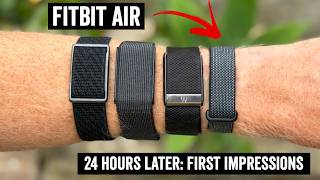
Fitbit Air: 24 Hours Later
353.4K views

Garmin Forerunner 70 vs 170 Comparison: All 27 Differences Hands-On!
32.1K views

Garmin Forerunner 70 In-Depth Review: 77 New Things To Know!
39.7K views

Fitbit Air Explained: A True Whoop Competitor?
130.9K views

Polar Street X In-Depth Review: What's the Catch?
17.9K views

Zwift Acquires Rouvy: All Your Questions Answered!
55.4K views