
How to Create Professional Internal Elevations in Archicad 29
🛍️ Products Mentioned (7)
👉 Get the Ultimate ArchiCAD Template: https://www.patreon.com/david_tomic Creating clean, professional internal room elevations in Archicad doesn’t need to be complicated — but there are a few critical steps most people miss. In this tutorial, I walk through my complete workflow for producing fully documented, colour-accurate internal elevations, using kitchens as an example. From placing room elevation markers correctly, to setting up view settings, dimensions, keynotes, and finally laying everything out cleanly on a sheet — this is the exact process I use in practice. I’m working from my Ultimate Archicad Template, which removes a lot of the setup friction and lets you focus on documenting properly instead of fighting Archicad settings. If you’re using a blank template, the principles still apply — it just takes longer. In this video you’ll learn: - How to place and control internal room elevation markers - How to set up clean colour elevations (without ugly shadows) - Proper dimensioning for cabinetry, splashbacks, appliances & ceilings - How to use keynotes to clearly document joinery and finishes - How to organise elevations correctly in the View Map - How to place everything into a professional layout grid - How to scale, update and manage elevations efficiently This workflow is ideal for: - Architects - Building designers - Draftspersons - Anyone documenting high-end residential or boutique commercial interiors 👉 The Ultimate Archicad Template used in this video is available via Patreon and is linked below. If this helps, leave a comment, hit like, and I’ll see you next week. ‐‐‐‐‐‐‐‐‐‐‐‐‐‐‐‐‐‐‐‐‐‐‐‐‐‐‐‐‐‐‐‐‐‐‐‐‐‐‐‐‐‐‐‐‐‐‐‐‐‐ Who is David Tomic? ►► https://www.davidtomic.com.au/pages/about ‐‐‐‐‐‐‐‐‐‐‐‐‐‐‐‐‐‐‐‐‐‐‐‐‐‐‐‐‐‐‐‐‐‐‐‐‐‐‐‐‐‐‐‐‐‐‐‐‐‐ 🔽 Don’t Miss Out! BIM and Rendering PCs: https://www.davidtomic.com.au/blogs/news/bim-and-rendering-pcs FREE ArchiCAD Shortcuts: https://bit.ly/4bkeJOK Architects Doc Checklist: https://bit.ly/3UR9sHo Architects Hub: https://bit.ly/4dQc1Cb ‐‐‐‐‐‐‐‐‐‐‐‐‐‐‐‐‐‐‐‐‐‐‐‐‐‐‐‐‐‐‐‐‐‐‐‐‐‐‐‐‐‐‐‐‐‐‐‐‐‐ 🛠 Template Builder Series: ▶️ Intro ArchiCAD 28 Ultimate Template: https://youtu.be/5FX_OFoGr7g ▶️ Every Wall Type You’ll Ever Need: https://youtu.be/eeo1gN-gvxA ▶️ My Titleblock is BETTER than YOURS: https://youtu.be/9N2w5DBh1JU ▶️ My Library is YOURS: https://youtu.be/Nhjv-hjix9Q ▶️ Never model Doors and Windows Again: https://youtu.be/6D8FfkxYD5Q ▶️ Kitchen Cabinetry Done For You: https://youtu.be/q5O_yf0u2zk ▶️ Laundries Made Easy: https://youtu.be/KZPbsJn6j_o ▶️ Cabinetry 2D Details: https://youtu.be/I-06lcnP9XY ▶️ Walk In Robes: https://youtu.be/QNdoVEEgerQ ▶️ Ensuite: https://youtu.be/6mzt4s926uc ▶️ Bedrooms: https://youtu.be/borTs4B4NsY ▶️ Stairs: https://youtu.be/7Axa1bVPtpM ▶️ Furniture Pack: https://youtu.be/PTpZnEWig-Q ▶️ Keynotes Part 1: https://youtu.be/XLH3diE-WjA ▶️ Learn AC29 in 30 mins (keynotes part 2): https://youtu.be/TZ96DkXbyQA ‐‐‐‐‐‐‐‐‐‐‐‐‐‐‐‐‐‐‐‐‐‐‐‐‐‐‐‐‐‐‐‐‐‐‐‐‐‐‐‐‐‐‐‐‐‐‐‐‐‐ Join the COMMUNITY! Discord https://discord.gg/SQdhf3JgEK Instagram https://www.instagram.com/david_tomic Patron https://www.patreon.com/david_tomic ‐‐‐‐‐‐‐‐‐‐‐‐‐‐‐‐‐‐‐‐‐‐‐‐‐‐‐‐‐‐‐‐‐‐‐‐‐‐‐‐‐‐‐‐‐‐‐‐‐‐ #ArchiCAD #ArchitecturalDocumentation #InteriorElevations ‐‐‐‐‐‐‐‐‐‐‐‐‐‐‐‐‐‐‐‐‐‐‐‐‐‐‐‐‐‐‐‐‐‐‐‐‐‐‐‐‐‐‐‐‐‐‐‐‐‐ Disclaimer: Any information on this channel is intended for general guidance only and must never be considered a substitute for advice provided by a qualified professional specific to your situation. Although David Tomic takes all reasonable care to ensure that the content of this YouTube Channel is accurate and up to date, all information contained is provided 'as is'. David Tomic makes no warranties or representations of any kind concerning the accuracy or suitability of the information contained on this channel. David Tomic may at any time and at its sole discretion change or replace the information available on this channel. To the extent permitted by law, David Tomic shall not be liable for any direct, incidental, consequential, indirect, or punitive damages arising out of access to or use of any content available on this channel. Any links to other websites are provided only as a convenience and David Tomic encourages you to read the privacy statements of any third-party websites. The comments/posts from members of the public do not necessarily reflect the view of David Tomic. This disclaimer is retroactive for all content.
🎬 More from David Tomic

Rayon.Design Site Measurements to Floor Plans in Under 10 Minutes
1.4K views
Stop Spending Hours on 3D Modelling Try This AI Workflow
29.6K views
Veras 4.5 for Architects: Worth Upgrading?
35.1K views
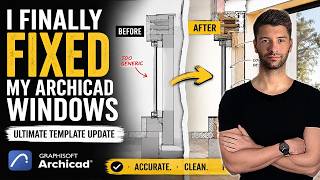
I Finally Fixed My Archicad Windows (Ultimate Template Update)
20.4K views

How I made this architecture section (using ONE software)
12.9K views
Rayon vs AutoCAD: 5 Reasons to Switch for Interior Design Projects
13.9K views