
How To Use MyDesigns Canvas Editor For POD & Digital Products | Full Beginner Design Guide
🛍️ Products Mentioned (9)
Mydesigns Product
Create and sell custom pet mugs faster than ever - sign up here
Connect Printify to MyDesigns for automatic, reliable order fulfillment - set it and scale
Automate bulk uploads and multiply your listings with Merch Titans to Amazon Merch - more products, more sales
Use EtsyHunt to find winning products, track top shops, and grow faster—try it free
Spot what’s selling before you launch—use EverBee to validate ideas with real data
Manage and grow your Etsy shop smarter with Alura - start free and turn ideas into income
unlimited premium fonts, graphics, and crafts—start your Creative Fabrica free trial
Community Product
Design, optimize, and sell faster with MyDesigns, your all-in-one AI platform for print-on-demand success! https://mydesigns.io/ Design Products Easily with MyDesigns Editor | #mydesigns #canvaseditor #printondemand In this video, I’ll show you how to use the MyDesigns Canvas Editor to create awesome designs. It’s perfect for Print on Demand sellers or anyone making digital products like planners or stickers. You don’t need to be a designer, this tool makes everything easy. Let’s walk through how it works and how you can start creating right away! Sign up for free and start designing: https://mydesigns.io/?el=md-canvas-editor-beta&utm_medium=social 🔹 Text Features: Elevate your designs with customizable fonts, colors, gradients, and more. With the upcoming integration of the entire Google Fonts library and the ability to upload custom fonts, your designs are set to stand out. 🔹 Uploads: Seamlessly incorporate your graphics, elements, and photos, making your design process faster and more efficient. 🔹 Elements: Access a library of over 10,000 vector graphics. Modify and sell them with the right licensing, enhancing your Print on Demand offerings. 🔹 Photos & Masks: With nearly 5 million images from Pixabay and innovative masking features, the possibilities are endless. 🔹 Shapes & Export: Customize shapes and export your creations in various formats, ready to impress your customers. ✅ Important Links to Follow 🔗 Join the MyDesigns Community and connect with creators, share tips, and grow your print-on-demand success together: https://community.mydesigns.io/ 🔗 Sign up for Printify and connect it to MyDesigns to have Printify fulfill your orders automatically: https://try.printify.com/mydesigns 🔗 Automate your print-on-demand uploads and boost your sales! Get started with Merch Titans today: https://merchtitans.com/ 🔗 Find winning products, track top shops, and grow your Etsy store faster with EtsyHunt! Try it free today: https://etsyhunt.com/?fpr=curtis95 🔗 Find what’s selling before you start selling! Use EverBee to launch winning products with data-driven confidence: https://www.everbee.io/?via=curtis 🔗 Launch, manage, and grow your Etsy shop smarter with Alura! Start free and turn ideas into income: https://www.alura.io/?via=curtis 🔗 Get unlimited access to premium fonts, graphics, and crafts! Start your free trial on Creative Fabrica today: https://www.creativefabrica.com/ref/361315/ 🔔𝐃𝐨𝐧'𝐭 𝐟𝐨𝐫𝐠𝐞𝐭 𝐭𝐨 𝐬𝐮𝐛𝐬𝐜𝐫𝐢𝐛𝐞 𝐭𝐨 𝐦𝐲 𝐜𝐡𝐚𝐧𝐧𝐞𝐥 𝐟𝐨𝐫 𝐦𝐨𝐫𝐞 𝐮𝐩𝐝𝐚𝐭𝐞𝐬. https://www.youtube.com/@CurtisBlackmore/?sub_confirmation=1 🔗 Stay Connected With Me. Facebook: https://www.facebook.com/curtisblackmore21 Facebook Group: https://www.facebook.com/groups/382017116990632 Instagram: https://www.instagram.com/cb33 Twitter (X): https://x.com/curtis_b33 LinkedIn: https://www.linkedin.com/in/curtisblackmore/ 📩 For business inquiries: curtisrblackmore@gmail.com ============================= 🎬Suggested videos for you: ▶️ https://www.youtube.com/watch?v=H8UPGfMYSvo ▶️ https://www.youtube.com/watch?v=UQbf_FwOafw ▶️ https://www.youtube.com/watch?v=5dbK0YmyoBU ▶️ https://www.youtube.com/watch?v=eZSHSnsATaI ▶️ https://www.youtube.com/watch?v=GW02oq6BUu4 ================================= 🔎 Related Phrases: How to Use MyDesigns Canvas Editor for POD & Digital Products, Full Beginner Design Guide, Etsy Product Design Tool, How To Use MyDesigns Editor, Best Design Tool For POD, Make Custom Printables, Design Digital Products 2024, Canva Alternative For Etsy, POD Templates Editor, Easy Etsy Product Designer, Digital Downloads Creator, Custom Artwork POD Tool, Etsy Design Workflow, Graphic Design For POD Sellers #mydesigns #canvaseditor #printondemand #digitalproducts #etsydesigns #podtools #graphicdesign #etsyseller #easyartwork #designworkflow #canvaalternative #beginnerfriendly
🎬 More from Curtis Blackmore
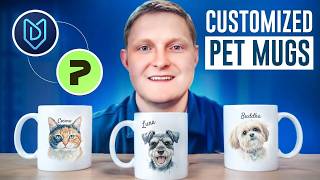
Printify + Etsy Tutorial: Sell Personalized Pet Mugs with MyDesigns
1.1K views
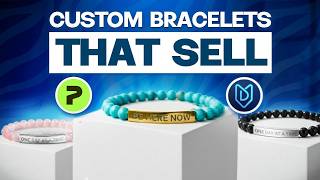
Stop Listing 1-by-1! 🛑 Bulk Create Personalized Jewelry for Etsy (MyDesigns Tutorial)
870 views

How to Sell Kindle Cases on Etsy (Easiest Side Hustle of 2026)
1.6K views

How to Create Personalized Name Blankets in Under 3 Minutes! (MyDesigns Pattern Hack)
1.3K views

Printify Early Access Product: Sell This Before Everyone Else (Low Competition)
951 views
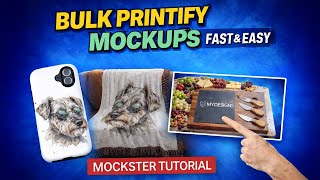
Create Professional Printify Mockups in Bulk - Fast & Easy (Mockster Tutorial)
680 views