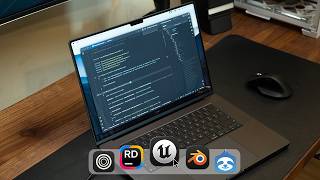
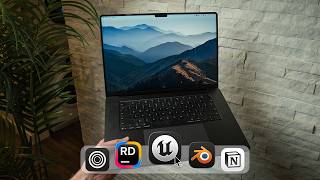
Setting up M4 Max MacBook Pro for Programming
🛍️ Products Mentioned (16)
VSCode/Cursor setup
Warp (my terminal of choice)
Railway (where I host my backends)
See my raycast setup
Wallpaper
Writing about my experiences building apps
Shortlinks created with Dub (get 20% off your first 3 months!)
Caccamise Product
Screen recording tool
My favorite email app
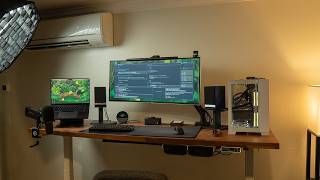
Desk Setup
Camera Gear
PC Build
Music from Epidemic
How I build all my websites
Steal my website template
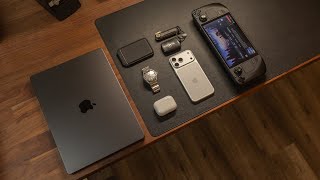
This is how I set up my M4 Max MacBook Pro for web and game development. I hope you find it useful! Watch next | https://youtu.be/qSTnLQsB1MQ Wallpaper | https://caccamise.link/wave How I create my shortlinks | https://caccamise.link/dub VSCode/Cursor setup - https://caccamise.link/vscode Warp (my terminal of choice) - https://caccamise.link/warp Railway (where I host my backends) - https://caccamise.link/railway Raycast - https://caccamise.link/raycast I appreciate your time. Thanks for the support, Cole. 🔔 SUBSCRIBE | https://caccamise.link/subscribe ✉️ BUSINESS | cole@caccamedia.com https://instagram.com/cole.caccamise https://twitter.com/colecaccamise How I build all my websites | https://caccamise.link/framer Steal my website template | https://founder.supply Newsletter | https://caccamise.link/letters Screen recording tool | https://caccamise.link/screen My favorite email app | https://caccamise.link/superhuman Desk Setup | https://caccamise.link/setup Camera Gear | https://caccamise.link/camera PC Build | https://caccamise.link/pc Music from Epidemic | https://caccamise.link/music Note: Products are occasionally sent out for review by brands and kept. All opinions are my own. I may earn a commission from some links (thank you for supporting me).