
How to use SKIN AI in Luminar NEO (2026)
🛍️ Products Mentioned (9)
Sample Files
Clever Photographer
LumiBot
Master Portrait Editing (Step-by-Step)
Luminar NEO Portrait Presets (2026)
Luminar NEO
Luminar NEO Masterclass | 63+ classes in 4K
Essential Preset Bundle – 410+ Presets
Luminar NEO Power Bundle – 986+ Tools
In this tutorial, I’ll show you how to use the Skin AI tool in Luminar NEO to enhance your portraits quickly and naturally. From subtle skin smoothing to full blemish removal, this tool gives you powerful control while still keeping realistic texture and character. We’ll go step-by-step through everything so you can confidently use Skin AI in your portrait workflow. 🎓 Master Portrait Editing (Step-by-Step): 👉 https://www.cleverphotographer.com/portrait-masterclass-presale 🎨 Luminar NEO Portrait Presets (2026): 👉 https://www.cleverphotographer.com/offers/68fsR3vj =========================== We’ll cover how to: 📸 Use Face Smoothing for natural skin enhancement 📸 Apply Body Smoothing to balance your entire portrait 📸 Remove distractions with Shine Removal 📸 Clean up imperfections using Blemish Removal (new slider) 📸 Combine Skin AI with Erase & Clone tools for precision 📸 Use Masking to edit multiple people differently 📸 Avoid over-editing and keep natural skin texture =========================== 🔗 Learn more about LumiBot – Your 24/7 Luminar NEO Assistant https://www.cleverphotographer.com/lumibot =========================== 🔗 Sample Files: https://www.cleverphotographer.com/pl/2148766110 💻 Get Luminar NEO: https://skylum.evyy.net/c/1450774/1314256/3255 Use coupon code CPNEO10 for 10% off! 🌐 Visit Our Website: https://www.cleverphotographer.com =========================== 📚 Additional Learning & Tools: 👨🏫 Luminar NEO Masterclass | 63+ classes in 4K https://www.cleverphotographer.com/luminarmasterclass 🎨 Essential Preset Bundle – 410+ Presets https://www.cleverphotographer.com/luminarpresets-website ⚡️ Luminar NEO Power Bundle – 986+ Tools https://www.cleverphotographer.com/luminar-neo-power-bundle-49 =========================== ⏰ Tutorial Timeline 00:00 Skin AI Overview 01:00 Preparing the Portrait (RAW / Presets) 02:20 Face Smoothing Explained 04:00 Body Smoothing Tips 05:30 Shine Removal 06:30 Blemish Removal Slider 08:00 Using Erase & Clone Tools 09:30 Second Example (Strong Blemish Removal) 11:00 Editing Multiple People 12:30 Masking for Selective Edits 14:00 Final Tips & Workflow =========================== #Luminar #LuminarNEO #Skylum #JakubBors #CleverPhotographer #PortraitEditing #skinretouchingtutorial Perfect for anyone searching: ❓ How to smooth skin in Luminar NEO ❓ How to retouch portraits naturally ❓ Skin AI Luminar NEO tutorial ❓ Portrait editing workflow Luminar NEO
🎬 More from Clever Photographer
Get Creative With Double Exposure Photography
134 views

US vs Europe: The Best Photography Locations Compared
155 views
Bluebell Photography Settings You Need to Know
725 views
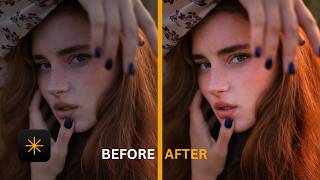
How to use Face AI in Luminar NEO (2026)
1.5K views
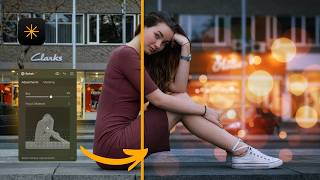
How to use BOKEH AI in Luminar NEO (2026)
2.0K views

10 Lenses Every Photographer Should Know
195 views