
Shopify Navigation Tutorial - Create A Dropdown Menu, Multi-level Menu, Mega Menu, & More
🛍️ Products Mentioned (2)
✅ Run Giveaways On Your Shopify Store: https://bit.ly/pineraffle ✅ Best Shopify Wholesale App: https://bit.ly/43KsqlS In this shopify navigation tutorial, I will be showing you how to setup different shopify menus in your store. Having a good shopify navigation menu will help customers to find what they are looking for faster, meaning they will have a better experience on your store and be more likely to purchase a product. In this shopify menu tutorial we will be looking at.... - Header Menu - Footer Menu - Dropdown Menu - Mega Menu - Multi-level menu ✅ Follow Me On Instagram: https://www.instagram.com/jake_alexander111/ ✅ All Inquiries: hi@casualecommerce.com If you found this video helpful, be sure to Like, Comment, and Subscribe!
🎬 More from Casual Ecommerce
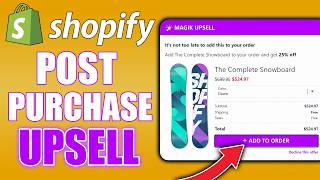
Shopify Post Purchase Upsell Tutorial - INSTANTLY Setup AUTOMATIC 1-Click Upsells In Your Store
1.4K views

Shopify Free Gift With Purchase Tutorial - How to Setup Buy One Get One Free (BOGO) & More!
1.2K views

How To Prevent Fraudulent Orders In Shopify - Block Fraud In Your Shopify Store
1.9K views

How To Block Traffic By Country or IP Address in Your Shopify Store
1.8K views

How To Add A Terms and Conditions Checkbox To Your Shopify Cart (Customers must agree to terms)
1.6K views

How To Setup Notify Me When Back In Stock Notifications In Shopify | Simple Tutorial
2.4K views