
Raspberry Pi +AI: Create a Latin Quiz App Without Writing the Code Yourself
🛍️ Products Mentioned (4)
Learn how to vibe-code a Latin study quiz using a Raspberry Pi and Claude AI. In this step-by-step tutorial, I walk through the full process starting from a blank desktop, writing the right prompt, generating Python code automatically, and running a working GUI quiz app with multiple-choice questions, explanations, and a countdown timer. This is perfect for students taking Latin, anyone learning Python, or anyone curious about using AI to rapidly build study tools and apps. You’ll see how I: • Build the perfect prompt • Generate the quiz code using Claude AI • Paste and run it in Geany on the Raspberry Pi • Add context sentences, explanations, and English translations • Add a 15-second countdown timer with color-coded warnings • Test each version step by step If you don’t have a Raspberry Pi, you can still follow along on almost any computer. Resources: My book, A Woman’s Guide to Winning in Tech: https://winningintech.com GitHub code: https://github.com/carolinedunn/Latin-Study-Quiz Raspberry Pi OS: https://www.raspberrypi.com/software/ Geany (on Raspberry Pi): Installed by default on Raspberry Pi OS AI: https://claude.ai/ Chapters 00:00 Demo 00:19 Intro – Why build a Latin quiz with AI 01:25 Starting on the Raspberry Pi desktop 01:49 Context for Claude 02:13 Reviewing Claude’s suggested prompt 02:37 Generating the first version of the quiz code 02:57 Pasting code into Geany and saving 03:52 Running Latin Quiz v1 04:34 Requesting added context and translations 05:32 Running Latin Quiz v2 06:25 Adding a 15-second countdown timer 08:27 Running Latin Quiz v3 07:58 Outro – How to expand your quiz and next steps 📘 A Woman’s Guide to Winning in Tech If you’ve ever been underestimated, talked over, or given unsolicited “feedback” that wasn’t actually helpful, this book is for you. A Woman’s Guide to Winning in Tech blends sharp humor with practical career strategies to help women navigate tech on their own terms—without changing who they are. Available on Amazon, Bookshop.org, Barnes & Noble, and IngramSpark Learn more: https://winningintech.com/ Follow the book: Facebook: https://www.facebook.com/winningintech Instagram: https://www.instagram.com/winning.tech #RaspberryPi #PythonCoding #LatinStudy #LatinQuiz #ClaudeAI #AICoding #LearnLatin #RaspberryPiProjects #ProgrammingTutorial #AIforStudents #StudyTools #CodingForBeginners #TechEducation #MakerProjects #LanguageLearning #LatinGrammar #PythonGUI #VibeCoding #STEMEducation #DIYStudyTools
🎬 More from Caroline Dunn
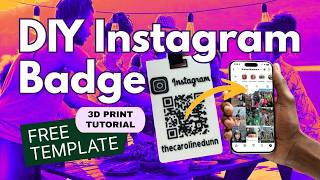
DIY 3D Printed Instagram Badge with QR Code (Bambu Lab + AMS)
70 views
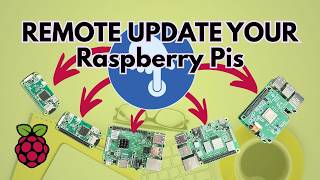
Managing Multiple Raspberry Pis? How to Update Remotely with Raspberry Pi Connect OTA
170 views

Your Private VPN: Raspberry Pi + Tailscale (No Port Forwarding!)
881 views

The Future is HER Recap 2026
69 views
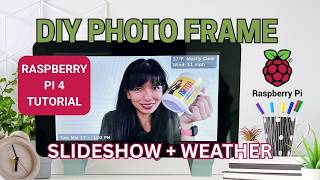
Raspberry Pi Photo Frame Tutorial: Update from Your Phone + Auto-Boot Setup
364 views
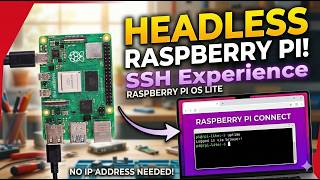
Access Your Raspberry Pi Terminal from Any Browser (Connect Lite) - SSH Only Tutorial
384 views