
NEW VIDEO IN DESCRIPTION! How To Install ezBEQ On A Raspberry Pi
🛍️ Products Mentioned (10)
Pi Kit
Here's a great kit with everything you need
All about the project and future update instructions
Raspberry pi Imager Download
Raspberry pi Install instructions
Floating Center Mount
Black Felt
Self Adhesive Felt
Self Adhesive Velcro
Blackout Stickers
A NEW VIDEO IS HERE: https://youtu.be/pbgTM49i8I0 Pi Kit: https://amzn.to/43QRf14 POST VIDEO NOTE: Since this video was made, new versions of software came out. You can simply use the current 64 bit versions of all the software, no need to use older. If you encounter an install problem with the minidsp software, do a full system update first then try again. Use the following commands: sudo apt update (Wait for it to finish) sudo apt upgrade (Type ‘y’ and wait for it to finish) sudo reboot (ssh back in after 30 seconds or so, then continue normally) If you want to absolutely change your game when it comes to bass extension and truly use your tactile systems like bass shakers, buttkickers, crowsons, etc. ezBEQ is what you need! Using it is just a few clicks before you start a show, adding huge content to enjoy! It's not just adding bass, it's not just adding a big house curve or even edding to your existing EQ. It's giving you MORE content that you couldn't play before. NOTE: The problem with the missing flash install command is fixed. It's no longer needed. The very best and easiest way to run it is on a cheap raspberry pi. Here's a great kit with everything you need: https://amzn.to/3QsZc76 All about the project and future update instructions: https://www.avsforum.com/threads/ezbeq-use-and-development-discussion.3181732/ Raspberry pi Imager Download: https://www.raspberrypi.com/software/ Raspberry pi Install instructions: https://ezbeq.readthedocs.io/en/latest/rpi/ My Top 10 Near-Free Home Theater Improvement Tips: https://youtu.be/jXjyb7qxnAo Floating Center Mount: https://amzn.to/3S7akbc Black Felt: https://amzn.to/3tCONNo Self Adhesive Felt: https://amzn.to/3FoRu7R Self Adhesive Velcro: https://amzn.to/45C5Psf Blackout Stickers: https://amzn.to/45Ehffb As an Amazon Associate I earn from qualifying purchases.
🎬 More from Guy Stuff
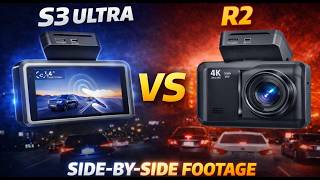
Best 4K Dash Cam 2026? Pelsee S3 Ultra vs ROVE R2 | Night Vision Test Results
323 views

Beatbot SORA 70 Robot Pool Cleaner Full Review
1.1K views
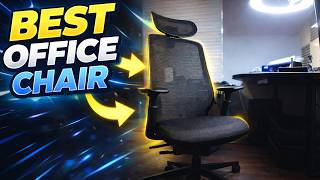
ProtoArc Ergonomic Office Chair EC200 Full Review
1.3K views
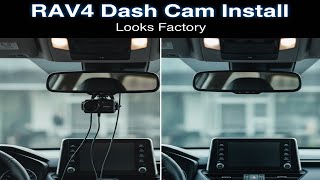
Hidden Dash Cam Install on Toyota RAV4 2022–2025 (Fitcamx OEM Style)
5.8K views
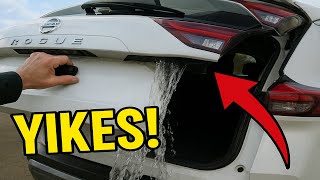
How To Fix Water In The Rear Door Nissan Rogue Rear Wiper Grommet Replacement
1.6K views
Maono PD200W Hybrid Mic Review, Setup, Pros/Cons, Sound Samples
757 views