
Setting Up Your Podcast in Buzzsprout — Buzzsprout Essentials
🛍️ Products Mentioned (6)
How to Name Your Podcast
How to Rebrand a Podcast
Podcast Info Page
Our Blog on Podcast Cover Art
Buzzsprout + Canva integration
Scheduling podcast episode in Buzzsprout
In this video, we show you how to sign up for a Buzzsprout account and how to set up your podcast for the first time. 0:00 How to Sign up for Buzzsprout 0:33 Adding Podcast Title 1:01 Adding Podcast Description 1:28 Buzzsprout Dashboard 1:45 Podcast Info Page 1:52 Uploading Podcast Artwork 2:02 Buzzsprout Canva Integration 2:30 Choosing a Podcast Category 2:53 Podcast Language 2:58 Timezone Settings in Buzzsprout 3:09 Podcast Artist Settings 3:20 Marking a Podcast as Explicit 3:58 Where to go for help Podcasting Guides & Help ----------------------------------- How to Name Your Podcast - https://www.buzzsprout.com/blog/names-for-podcasts How to Rebrand a Podcast - https://www.buzzsprout.com/blog/how-to-rebrand-a-podcast Podcast Info Page - https://www.buzzsprout.com/help/1-podcast-title How to Create Podcast Artwork - https://www.buzzsprout.com/blog/10-tips-create-awesome-podcast-artwork Buzzsprout + Canva integration - https://www.buzzsprout.com/help/166-canva How to choose the right podcast category - https://www.youtube.com/watch?v=-_gkT1s3if4 Scheduling podcast episode in Buzzsprout - https://www.buzzsprout.com/help/4-schedule Buzzsprout Email Support: support@buzzsprout.com
🎬 More from Buzzsprout — Learn How to Podcast
Why podcast transcripts matter more than ever
1.3K views
Why audio podcasts still win (backed by data)
1.5K views
Don't overpay for podcast equipment (here’s what I'd buy)
1.6K views
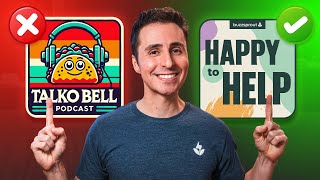
How to Design Great Podcast Cover Art
7.5K views
How to Use Buzzsprout in Less Than 5 Minutes
17.4K views
Buzzsprout Live: Get Studio-Quality Sound with Magic Mastering! 🎙️✨
1.2K views