
SmartThings Home Automation - Echo Show Recording Upon Motion
🛍️ Products Mentioned (9)
EchoGear Stand for Echo Show 8
All-new Echo Show 8 (2nd Gen, 2021 release)
Attribution 4.0 license.
Source
Artist

Bud's Amazon Store
SmartThings Edge Driver articles on my website
Please tap or click on the following link for the policy statement for all of our videos on the Bud's Smart Home YouTube channel
me a Coffee via PayPal
In this SmartThings automation I will demonstrate how to start a recording on your Echo Show when one of your motion sensors detects motion while you are away from home. To set up this automation you must have an Echo Show 5 or 8 and a SmartThings compatible motion sensor. You will also need an Amazon Prime account so that you have a cloud location to store your recorded video. You can then create a simple automation in SmartThings that will activate a virtual “Echo Record Switch” whenever motion is detected by your SmartThings compatible motion sensor. The status of the Echo Record Switch is relayed to the Amazon App and is used as a trigger in a Miss A routine to activate a “Miss A” Custom Action asking the Echo Show to “Take a Video”. A 30 second video is recorded and saved to Amazon Photos. A second Miss A routine stops the video stream after 30 seconds of recording. 🔵 EchoGear Stand for Echo Show 8 - https://amzn.to/3olAFBf 🔵 All-new Echo Show 8 (2nd Gen, 2021 release) - https://amzn.to/3ohsTbR ~-~-~-~-~-~-~-~-~-~-~-~-~-~-~-~-~-~-~-~-~~-~~-~-~~-~-~-~-~-~-~-~ 🟠 How to support Bud's Home Automation: 🛒- Shop my Amazon Store: https://www.amazon.com/shop/budssmarthome 💳- Buy me a Coffee via PayPal: https://paypal.me/BudsHomeAutomation ~-~-~-~-~-~-~-~-~-~-~-~-~-~-~-~-~-~-~-~-~~-~~-~-~~-~-~-~-~-~-~-~ 🔵 Video Chapters 00:00 - Video Intro 00:35 - Automation Overview 02:02 - Required Smart Devices 02:35 - Echo Show 8 Stand Accessory 04:22 - Summary of Presence Sensor Automations 06:02 - Description of Echo Record Virtual Switch 06:52 - Adding Echo Record Switch in the SmartThings IDE 09:39 - Echo Record Switch SmartThings Automation 11:16 - Echo Record Switch Alexa Routines 13:55 - Testing the Echo Record Automations (Amateur Actor) 15:15 - Video Outro 🔵 Check out my home automation website at: https://www.budshomeautomation.com ~-~-~-~-~-~-~-~-~-~-~-~-~-~-~-~-~-~-~-~-~~-~~-~-~~-~-~-~-~-~-~-~ 🎵 Music Selections used in this video include 🎵 ▶ Background Music - "Chubs" by Quincas Moreira ▶ Automation Demo Music - Local Elevator ** ▶ Exit Music – “World_Map” by Jason Farnham ** Local Elevator by Kevin MacLeod is licensed under a Creative Commons Attribution 4.0 license. https://creativecommons.org/licenses/by/4.0/ Source: http://incompetech.com/music/royalty-free/index.html?isrc=USUAN1300012 Artist: http://incompetech.com/ ~-~-~-~-~-~-~-~-~-~-~-~-~-~-~-~-~-~-~-~-~~-~~-~-~~-~-~-~-~-~-~-~ AMAZON ASSOCIATE DISCLAIMER: The links in this description are affiliate links, which means if you click on a link to make a purchase I may receive a small commission. You will not incur additional cost for using my affiliate links and your purchase will help support this channel. Thank you for your support! ~-~-~-~-~-~-~-~-~-~-~-~-~-~-~-~-~-~-~-~-~~-~~-~-~~-~-~-~-~-~-~-~ CHANNEL DISCLAIMER Please tap or click on the following link for the policy statement for all of our videos on the Bud's Smart Home YouTube channel: https://www.budshomeautomation.com/policy-statement ~-~-~-~-~-~-~-~-~-~-~-~-~-~-~-~-~-~-~-~-~~-~~-~-~~-~-~-~-~-~-~-~ #BudsHomeAutomation #HomeAutomationIdeas #SmartHomeIdeas
🎬 More from Bud's Smart Home
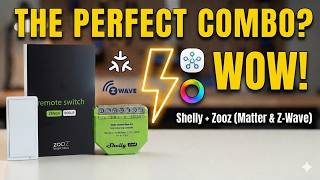
Shelly Dimmer Gen4 + Zooz ZEN34. The PERFECT SmartThings or Homey Pro Lighting Combo?
215 views
Zooz ZEN34 Remote Switch
162 views
NEW SmartThings EDGE DRIVER! Shelly Plus Wall Dimmer.
410 views
SmartThings Hub Update. Faster, Smarter, Better. Here’s What You Need to Know
1.3K views
Shelly Plus Wall Dimmer Review & Installation. SmartThings & Homey Pro Tested
828 views
I Switched BACK to Classic Alexa. Here’s why...
606 views