
Control SmartThings Devices in the Homey Pro Hub (No Migration Needed!)
🛍️ Products Mentioned (10)
The Homey Community Store (HCS) is down (Crashed) for sometime now. This is preventing the installation of the SmartThings 2 app via the HCS. There is a alternate method of installing the SmartThings 2 app for Homey Pro but it requ...
Since it is not currently possible to install the SmartThings 2 app via the HCS, I took the time and effort to create a guide for installing the SmartThings 2 application via the Command Line Interface (CLI) install method within the Windows...
~ Homey Community Store Homey App
~ Generate SmartThings Account Access Token
~ Homey Community Forum Guide

Bud's Amazon Store
SmartThings Edge Driver articles on my website
Please tap or click on the following link for the policy statement for all of our videos on the Bud's Smart Home YouTube channel
Homey Pro Hub (Amazon)
Homey Pro Ethernet Adaptor (Amazon)
In today's tutorial I’ll show you how to integrate Samsung SmartThings devices into your Homey Pro hub using a SmartThings personal access token and the Homey SmartThings2 app which is available for download via the Homey Community Store. I’ll guide you through the four easy steps for achieving control of your SmartThings devices within Homey without the need to migrate any of devices from your SmartThings hub. IMPORTANT NOTE: The Homey Community Store (HCS) is down (Crashed) for sometime now. This is preventing the installation of the SmartThings 2 app via the HCS. There is a alternate method of installing the SmartThings 2 app for Homey Pro but it requires the use of GitHub CLI code and the use of Node.js, so it is a little technical. For those that want to try, you would need to source the GitHub code for the app and then install it via the CLI Install Method, outlined here on the Homey Community Forum: https://community.homey.app/t/how-to-cli-install-method/198 I may consider a instructional video if there is enough expressed interest. NOTE: Since it is not currently possible to install the SmartThings 2 app via the HCS, I took the time and effort to create a guide for installing the SmartThings 2 application via the Command Line Interface (CLI) install method within the Windows OS. You may find this guide on my website: https://tinyurl.com/mr2unz2r 🟠 Referenced Setup Links in this Episode: ~ Homey Community Store Homey App: https://store.homey.community/hcs ~ Generate SmartThings Account Access Token: http://tinyurl.com/f6atwnbw ~ Homey Community Forum Guide: http://tinyurl.com/y5wy65ks 🟠 Homey Pro Hub (Amazon): https://amzn.to/3w99qCh 🟠 Homey Pro Ethernet Adaptor (Amazon): https://amzn.to/3Uyw7tM 🟡 Subscribe to my YouTube Channel: www.youtube.com/c/BudsSmartHome 🔴 Buds Smart Home Website: https://www.budshomeautomation.com 🟠 How to support Bud's Smart Home: 🔔 - Subscribe: www.youtube.com/c/BudsSmartHome ❤️ - Become a channel member: https://www.youtube.com/@BudsSmartHome/membership 👕 - Merch!: https://www.youtube.com/@BudsSmartHome/store 🛒 - Shop my Amazon Store: https://www.amazon.com/shop/budssmarthome 💳 - Buy me a Coffee: buymeacoffee.com/BudsSmartHome AMAZON ASSOCIATE DISCLAIMER: The links in this description are affiliate links. If you click on a product link and make a purchase I may receive a small commission. You will not incur any additional cost by using my affiliate links. Your purchase(s) will help support this channel. Thank you for your support! CHANNEL DISCLAIMER Please tap or click on the following link for the policy statement for all of our videos on the Bud's Smart Home YouTube channel: https://www.budshomeautomation.com/policy-statement #smartthings #smartthingapp #homey #homeypro #homeyapp #smartthingandhomey 00:00 Introduction 02:10 Install Homey Community Space App 04:36 Install the SmartThings2 Homey App 05:53 Generate ST Personal Access Token 06:56 Adding SmartThings Devices to Homey Hub
🎬 More from Bud's Smart Home
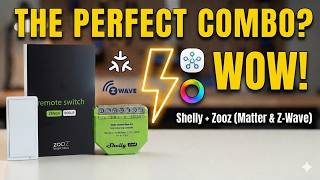
Shelly Dimmer Gen4 + Zooz ZEN34. The PERFECT SmartThings or Homey Pro Lighting Combo?
215 views
Zooz ZEN34 Remote Switch
162 views
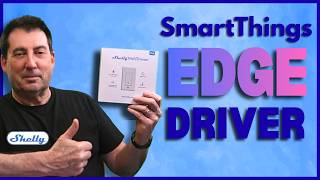
NEW SmartThings EDGE DRIVER! Shelly Plus Wall Dimmer.
410 views

SmartThings Hub Update. Faster, Smarter, Better. Here’s What You Need to Know
1.3K views
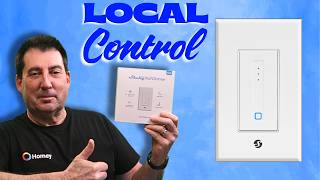
Shelly Plus Wall Dimmer Review & Installation. SmartThings & Homey Pro Tested
828 views

I Switched BACK to Classic Alexa. Here’s why...
606 views