TP-Link Omada - Access Point Setup
🛍️ Products Mentioned (9)
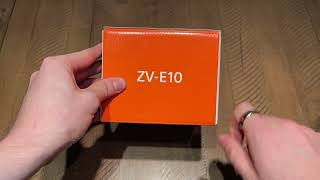
Bob Pellerin (CTOBOB) installs and shows basic features and configuration of TP-Link Omada software controller. Following the video unboxing a TP-Link EAP660, this video continues with the setup required to get the unit up and running. Centralized Controller Software ► Monitor and manage hundreds of EAPs in a single or multiple sites ► Free cloud access to manage from anywhere, anytime ► Configure and automatically synchronize unified wireless settings to all EAPs in the network ► Free to use, no license fee or extra cost required ► Secure Guest Network with Facebook Wi-Fi and SMS Authentication ► Rate Limit and Load Balance ensure the network stability and efficiency ► Access Control and Rogue AP Detection protect the network from threats --------------------------------------------------- 802.11AX models: AX3600 HD: https://amzn.to/3k2u3H6 AX1800 HD: https://amzn.to/3nT7rKv --------------------------------------------------- PoE switches (check how many ports actually provide power and wattage) 5-ports: https://amzn.to/3bAsKKW 8-ports: https://amzn.to/3nWBcd5 24-ports: https://amzn.to/3jZlM72 --------------------------------------------------- ►Get it Here(CA): https://amzn.to/3k2u3H6 ►Visit Us: http://Ctobob.com ►Subscribe: https://bit.ly/2y71jrK ►Twitter: https://twitter.com/ctobob?lang=en ►Merchandise: https://bobpellerin.creator-spring.com --------------------------------------------------- Want to read one of Bob Pellerin's books? This classic sci-fi is available: Death of a Sanitation Engineer: https://www.smashwords.com/books/view/477087 *Purchases made from store links may give me some money. (At No Additional Cost)