
Essential Settings & Interface Walkthrough in CapCut | Complete CapCut Tutorial 2026
🛍️ Products Mentioned (1)
In this second part of our CapCut Tutorial for Beginners series, we’re moving past the basics to explore the core interface and essential settings. We’ll walk through the workspace layout and fine-tune your configuration for professional YouTube results. Whether you're adjusting frame rates or managing cache, this guide ensures your software is perfectly primed for your next creative project. Try CapCut https://www.capcut.com/ 00:00 - Intro 00:37 - Interface 02:55 - Essential Settings 05:08 - Outro ---------------------------------------------------------------------------------------------- Business mail: mailbeproductive@gmail.com ---------------------------------------------------------------------------------------------- * Music Source: YouTube Audio Library ---------------------------------------------------------------------------------------------- Videos you may also like: *https://youtu.be/X7GnxpIylDI?si=c0JmTbss5nRTMBi0 *https://youtu.be/iNuh-kjucx8?si=0o8CUQic1oHLcRVn *https://youtu.be/G9aVlSHkIxo?si=pM8EIYxm5wsDhvJd ---------------------------------------------------------------------------------------------- This capcut tutorial walks through the essential steps every creator should know, especially for capcut beginners getting started with capcut desktop. From capcut setup and capcut project setup to opening a capcut new project, the guide focuses on capcut basics that help you understand the workspace quickly. As you move into capcut editing, you’ll learn capcut timeline basics, useful capcut keyboard shortcuts, and practical capcut layout settings that make the workflow smoother. The capcut editing tutorial also explains important capcut project settings such as capcut frame rate, capcut target loudness, and capcut edit settings, while showing how capcut cache files and capcut performance settings keep the software running efficiently. In addition, features like capcut free layer and capcut proxy mode help manage complex edits and heavy footage. With clear capcut editing tips and optimized capcut export settings, this capcut editing guide supports creators focused on capcut youtube editing, making capcut video editing easier to understand through a complete editing software tutorial built around modern video editing basics. Disclaimer: * The following video abides by the YouTube Community Guideline. Footage used in this video is for educational purposes and all the information covered in this video was collected from unofficial sources and assumptions. * Footage, music, images, and graphics used in the video falls under the YouTube Fair Usage Policy Under Section 107 of the Copyright Act 1976. If you have any copyright issues, please contact us. * All Affiliated links in the video description help us support this channel. #capcut #capcuttutorial #videoeditingsoftware
🎬 More from Be Productive

5 Best Employee Experience Platforms for Better Team Management
4 views

Top 5 AI Tools for Creating Tutorials and Guides!
37 views
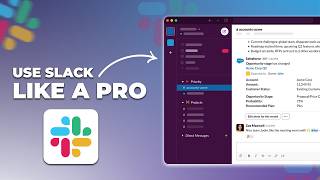
How to Use Slack Like a Pro! Slack Review in 2026
69 views

Pebb - Best Employee Management Platform
63 views
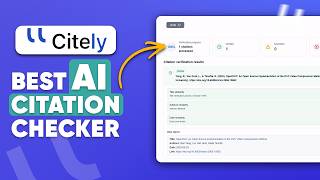
Citation Checker: Spot AI Hallucinations & Find Real Sources
1.9K views
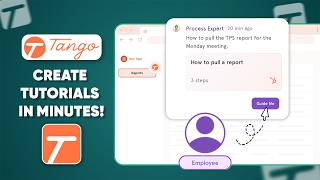
Create Polished Step-by-Step Guides in Minutes with Tango
4.9K views