
How to Use AI Properly (Most Professionals Get This Wrong) #claude #excel
🛍️ Products Mentioned (11)
The clarity of our videos is thanks to the Canon camera which captures crisp, clear video effortlessly. Check it out here: [
1. Sigma Lense - [
2. Canon Lense - [
To ensure you can hear me loud and clear, I rely on the Rhode & Neewer. It's great for crisp audio. Available here: [
To ensure you can hear me loud and clear, I rely on the Rhode & Neewer. It's great for crisp audio. Available here: [https://amzn.to/3XRCCrh] [
For those times I need to stick to the script, the Glide Gear is my go-to. See it here: [
Good lighting is crucial, and the Falcon Eyes & YONGNUO helps illuminate our set beautifully. Grab yours here: [
Good lighting is crucial, and the Falcon Eyes & YONGNUO helps illuminate our set beautifully. Grab yours here: [https://amzn.to/47Rv3FO] [
Good lighting is crucial, and the Falcon Eyes & YONGNUO helps illuminate our set beautifully. Grab yours here: [https://amzn.to/47Rv3FO] [https://amzn.to/3TOC6cI] RBG Light:
Stability is key in video production, and the Neewer provides just that. It's sturdy and reliable, perfect for every shoot. Check it out here: [
With all the footage we shoot, reliable storage is a must. The Crucial X6 1TB Portable SSD offers ample space and quick data access. Available here: [
Most professionals think getting better at AI is about writing better prompts. It’s not. And that’s exactly why so many people are falling behind. In this video, I break down the real reason relying on AI alone is limiting your growth — and what actually separates top professionals from everyone else. AI is powerful. But it doesn’t replace thinking. The people who win are the ones who know: how to define the right problem how to structure their thinking how to evaluate output properly If you skip these, AI won’t accelerate you… it will expose the gaps. I’ll walk you through the 4 core thinking skills that make AI work for you instead of against you: Problem Definition Structured Communication Knowing What Good Looks Like Critical Evaluation Master these, and AI becomes a multiplier. Ignore them, and you risk falling behind. 🚀 Who this is for: - Business Analysts - Data Professionals - Excel / Power BI users - Anyone using AI for work or productivity If this changed how you think about AI, drop a comment: 👉 “Think First” And don’t forget to subscribe for more content on Excel, Power BI, and real-world career growth. #Excel #excelforfreelancers #Freelancers #ExcelVBA #excelai #claudeai #claudecowork #ai #aiautomation #claude#AI #CareerGrowth #Productivity #BusinessAnalysis #FutureOfWork VBA In Excel,Excel Application,claude ai,claude,claude cowork,claude code tutorial,claude code,claude ai tutorial,excel tutorial,excel automation,ai in excel,excel ai tool,ai automation,ai automation for beginners,learn excel,excel ai,ai,excel tips and tricks,excel for beginners,excel formulas,artificial intelligence,visual basic,microsoft excel,macros,vba,chatgpt,claude cowork tutorial,future tools,free ai tools,ai tools,ai tools for business 👉🏻 CHECK OUT MY OTHER TUTORIALS: ✅ Power BI & SQL Integration: https://youtu.be/RsyzaUvRI1g?si=cdKK10s3g5kvFsnr ✅ Power BI | Beginner to Pro - Part 2: • Power BI Tutorial - Beginner to Pro |... ✅ Excel Interactive Finance Dashboard - • How to build Dynamic & Interactive Fi... ✅ Boost Excel Skills with Chat GBT - • Boost your Excel Skills with ChatGBT ✅ Excel Shortcuts - • Excel Shortcuts - Made Easy! 🎥 My Filming Gear 🎥 For those interested in the technical side of our tutorials, or if you're looking to create your own content, here are the tools I use to make these videos possible. By purchasing through these links, you not only support our channel at no extra cost but also get to use some of the best equipment I personally recommend. - Camera: The clarity of our videos is thanks to the Canon camera which captures crisp, clear video effortlessly. Check it out here: [https://amzn.to/4dxaMXa] - Lens: I use the [Lens Model] for that perfect focus and depth of field that makes our visuals pop. Find it here: 1. Sigma Lense - [https://amzn.to/4eMYXgz] 2. Canon Lense - [https://amzn.to/47S9dlB] - Microphone: To ensure you can hear me loud and clear, I rely on the Rhode & Neewer. It's great for crisp audio. Available here: [https://amzn.to/3XRCCrh] [https://amzn.to/3XQXeA5] - Teleprompter: For those times I need to stick to the script, the Glide Gear is my go-to. See it here: [https://amzn.to/3YaTLg7] - Lighting: Good lighting is crucial, and the Falcon Eyes & YONGNUO helps illuminate our set beautifully. Grab yours here: [https://amzn.to/47Rv3FO] [https://amzn.to/3TOC6cI] RBG Light:https://amzn.to/3XMRs2t - Tripods: Stability is key in video production, and the Neewer provides just that. It's sturdy and reliable, perfect for every shoot. Check it out here: [https://amzn.to/3TVZFAm] - Storage (SSD): With all the footage we shoot, reliable storage is a must. The Crucial X6 1TB Portable SSD offers ample space and quick data access. Available here: [https://amzn.to/3Y7OY01]
🎬 More from Ayotunde Ajibola
Imposter Syndrome Almost Made Me Turn Down The Best Opportunity Of My Career #excel #powerbi
8 views
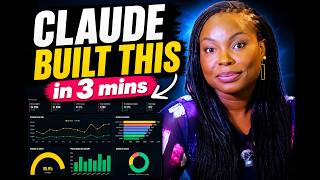
I Created a Full Dashboard in 3 Minutes Using Claude AI (No Code)
337 views
How to Automate Accounting Ledger, Trial Balance, Income Statement, and Balance Sheet in Excel
150 views
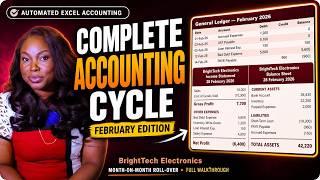
How to Automate Accounting Ledger, Trial Balance, Income Statement, and Balance Sheet in Excel
232 views
Most people get Pivot Tables completely wrong — here's why
94 views
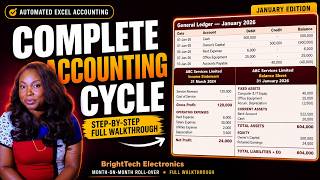
How to Automate Accounting Ledger, Trial Balance, Income Statement, and Balance Sheet in Excel
741 views