
Animated Mesh Gradient Button In Figma
Design this animated mesh gradient button in Figma. Step by step process of designing the gradient and then adding the interactions in the prototyping. You can add this animation in your portfolio to impress your viewers. This demonstrates a good knowledge of UI design and concepts of smart animation, prototyping, interaction design and motion design. Want to learn more about Figma? Subscribe to my channel. https://youtube.com/@AverageDesignDude Learn more tips and tricks on Figma on my Instagram channel below https://www.instagram.com/averagedesigndude/
🎬 More from Average Design Dude

Figma Design System + Screens using Claude Code - FULL COURSE
168 views
Figma Slots Full Tutorial (Game Changing Feature)
3.9K views
Web Design Process you MUST learn!
498 views
Framer Fully Responsive Navbar (Only video you will ever need)
2.4K views
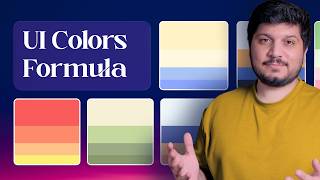
Perfect UI Colors Always
2.0K views

Framer vs Webflow vs Figma Sites - Which is the BEST Web Design Tool?
6.9K views