
MPC LIVE 3 - Connecting MIDI & Record Hardware Synths (MIDI)
The MPC LIVE 3 is capable of a lot but it shines at sequencing MIDI hardware synths (drum machines). I'll show you how to setup, use, sequence, sample, and record hardware synths of all kinds. I'm using the Donner L1 Essential monophonic analog synth Donner Essential L1 Synthesizer amz: https://amzn.to/47MJkFb *alt link* Use discount code 'AVE' to get 10%-15% off https://datasink.rantion-admin.com/t/Jp MPC LIVE 3: https://www.zzounds.com/item--AKAMPCLIVE3/a--3973043 My Twitch: https://www.twitch.tv/avemcree Music channel: https://www.youtube.com/@UC7nfM6COdZKS8vFQx_eOdcg Reaction Channel: https://www.youtube.com/@UCUqR_jsjIYoONc5mxoCUn6w Gaming Channel: https://www.youtube.com/@UCk8vMQb1GaABBx1zezqxCCA *MPC Masterclasses* MPC LIVE 3: https://6teenlevels.com/products/mpc-live-3-masterclass MPC ONE: https://6teenlevels.com/products/mpc-one-masterclass MPC X: https://6teenlevels.com/products/mpc-x-masterclass MPC Live 2: https://6teenlevels.com/products/akai-mpc-live-2-masterclass MPC Key 37: https://6teenlevels.com/products/mpc-key-37-masterclass *MY SETUP* (AFFILIATE LINKS) MY COMPUTER: https://amzn.to/423ac0s MY HEADPHONES: https://aiaiai.audio/headphones/tma-2-dj COMPUTER MONITOR: https://amzn.to/41AsRAB STUDIO MONITORS: https://amzn.to/3Vr47am AUDIO INTERFACE: https://amzn.to/42bosnU STREAM DECK XL: https://amzn.to/461dVNe MAIN CAMERA: https://amzn.to/45I6bRt TOP DOWN CAM 1: https://amzn.to/4fZDPpe TOP DOWN CAM 2: https://amzn.to/3VsXtjX CAM LINK CAPTURE CARD: https://amzn.to/4g0W1Pg (NEEDED FOR CAM 2) LIGHTS: https://amzn.to/3JGBkvV MIC: https://amzn.to/3I334KG MIC ARM: https://amzn.to/3UVwRrS MY DESK: https://amzn.to/4p3CMbQ MY CHAIR: https://amzn.to/3Vs3Vrv MY KEYBOARD & MOUSE: https://amzn.to/4lVOJh4 MY CPU MONITOR STAND:https://amzn.to/4ngvHDr (SETUP DEPENDENT!) BIG MONITOR: https://amzn.to/3VxoZNa MY FAVORITE PC KEYBOARD: https://amzn.to/48KsOqi 0:00 intro 0:42 how to set up your preferences (options) 3:02 MIDI explained 4:51 how to set up hardware (analog) synths 6:52 how to set up midi and audio tracks 8:51 how to set up USB midi 9:30 how to sequence and record audio tracks 11:36 editing audio tracks 12:19 closing statements
🎬 More from Ave Mcree
Zaytoven Addresses Why his beats SOUND THE SAME!
7.8K views
Spitfire & AKAI Did the UNTHINKABLE: Intimate Strings & Cinematic Pads
3.3K views
Roland J6 + MPC Sample = Beat Making Fire
6.9K views
WTF BRUH! THIS IS WHY I HATE YOUTUBE NOW!!!
3.7K views
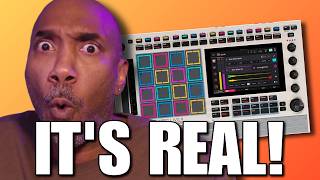
iT'S REAL!!! The MPC LIVE 3 Retro isn't a Rumor
2.8K views

VST Plugin Companies will Hate me for THIS!! make your own plugins
13.4K views