
Fruity Slicer 2 vs Traditional Sampling - MPC Perspective
In this mini masterclass, I’m diving into how to sample in FL Studio 20.25.2 using the new 3D Slicer 2 feature. This video is essential for anyone interested in music production and beat making, especially if you're familiar with the MPC live tutorial. Join me as I share valuable fl tips and insights for every aspiring music producer! 🎶 *things used in this video* (affiliate links) AKAI MPK MINI 4: https://guitarcentercreator.pxf.io/4GQdzZ FL Studio: https://guitarcentercreator.pxf.io/xL449d Vocal Remover (ai music generator): https://bit.ly/49TMRTX My Twitch: https://www.twitch.tv/avemcree Music channel: https://www.youtube.com/@UC7nfM6COdZKS8vFQx_eOdcg Reaction Channel: https://www.youtube.com/@UCUqR_jsjIYoONc5mxoCUn6w Gaming Channel: https://www.youtube.com/@UCk8vMQb1GaABBx1zezqxCCA *MPC Masterclasses* MPC LIVE 3: https://6teenlevels.com/products/mpc-live-3-masterclass MPC ONE: https://6teenlevels.com/products/mpc-one-masterclass MPC X: https://6teenlevels.com/products/mpc-x-masterclass MPC Live 2: https://6teenlevels.com/products/akai-mpc-live-2-masterclass MPC Key 37: https://6teenlevels.com/products/mpc-key-37-masterclass *MY SETUP* (AFFILIATE LINKS) MY COMPUTER: https://amzn.to/423ac0s MY HEADPHONES: https://amzn.to/481ISCa COMPUTER MONITOR: https://amzn.to/41AsRAB STUDIO MONITORS: https://amzn.to/3Vr47am AUDIO INTERFACE: https://amzn.to/42bosnU STREAM DECK XL: https://amzn.to/461dVNe MAIN CAMERA: https://amzn.to/4pjDGR9 TOP DOWN CAM 1: https://amzn.to/4fZDPpe OBSBOT TAIL 2 cam: https://amzn.to/47Jhry0 CAM LINK CAPTURE CARD: https://amzn.to/4g0W1Pg (NEEDED FOR CAM 2) LIGHTS: https://amzn.to/4pekq7t MIC: https://amzn.to/4o7eRqt MIC ARM: https://amzn.to/3UVwRrS MY DESK: https://amzn.to/4p3CMbQ MY CHAIR: https://amzn.to/3Vs3Vrv MY WIRELESS KEYBOARD: https://amzn.to/48j0qLg MY CPU MONITOR STAND:https://amzn.to/4ngvHDr (SETUP DEPENDENT!) BIG MONITOR: https://amzn.to/3VxoZNa MY FAVORITE PC KEYBOARD: https://amzn.to/48KsOqi MY WIRELESS MIC: https://amzn.to/49qgJai 0:00 intro 0:35 cooking up with MPK MINI 4 0:48 how to open fruity slicer 2 2:01 ui breakdown (edison tips) 3:08 fruity slicers mpc like features 4:01 matching bpm for time stretch 5:58 using tempo tapper (tap tempo) time stretch tips 7:19 bpm chopping, editing chops, and know glitches 10:02 showing results of sample chops 10:43 finding breaks 11:27 sample hold feature 12:09 reverse samples, transposing, playing to end 13:24 sample filtering 13:50 let's play with the chops 14:37 fixing & edit chops as you go 15:06 making a break pattern 15:53 adding drums 16:20 final results & conclusion
🎬 More from Ave Mcree
Zaytoven Addresses Why his beats SOUND THE SAME!
7.8K views
Spitfire & AKAI Did the UNTHINKABLE: Intimate Strings & Cinematic Pads
3.3K views
Roland J6 + MPC Sample = Beat Making Fire
6.9K views
WTF BRUH! THIS IS WHY I HATE YOUTUBE NOW!!!
3.7K views
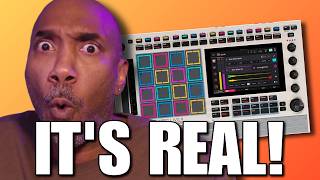
iT'S REAL!!! The MPC LIVE 3 Retro isn't a Rumor
2.8K views

VST Plugin Companies will Hate me for THIS!! make your own plugins
13.4K views