
How to Connect APIs in n8n as a Beginner
🛍️ Products Mentioned (7)


🚧 Master the most common APIs and wire them into your n8n automations—fast. In this step-by-step build, you’ll connect Google Drive (OAuth 2.0), OpenAI (API key plus billing), Gemini (AI Studio key), and a custom HTTP request to a generative model via a marketplace (file.ai). You’ll learn how APIs really work (restaurant analogy), how to set up credentials and redirect URIs, how to pass headers and body as JSON, and how to make prompts dynamic with expressions—so your workflows are production-ready, not brittle. What you’ll learn API fundamentals: request → processing → response (POST, headers, JSON) Google Drive OAuth: Client ID/Secret, Authorized redirect URI, connect to n8n and test folder access OpenAI: create secret key, add billing/credit, pick models in n8n (e.g., GPT-4.1 mini) Gemini: create key in AI Studio, plug into n8n and validate Custom HTTP: build a POST to file.ai (Sora text-to-video), set Authorization and Content-Type, craft JSON body Dynamic prompts: swap static text for expressions sourced from chat input or agent output Cost control: resolution, aspect ratio, and duration tradeoffs for token/second pricing Pro tips Keep secrets private; never commit keys. Match the Google Cloud account to the Gmail used in n8n auth. If models don’t populate in n8n, recheck billing/credits and the selected project. Start with 720p and about 8–12 seconds while iterating to keep costs manageable. ⏰Timestamps ================================================ 0:00 Intro and what we’ll build 0:43 APIs explained (restaurant analogy) 2:25 Google Drive OAuth setup → connect and test in n8n 9:01 OpenAI keys, billing, model pick, quick test 13:00 Gemini API key via AI Studio and validation 15:52 Custom HTTP to file.ai, dynamic prompts, pricing tips, wrap-up #APIs #n8n #Automation #GoogleDriveAPI #OpenAI #Gemini #Sora #HTTP #JSON #OAuth2 #AI #NoCode #AIWorkflows #LLM #Developer 🔗 Tools I recommend for Automation & Ecom ================================================ N8N Affiliate: https://n8n.partnerlinks.io/y101dgxkiu9o Debutify AI Theme: https://www.debutify.com/theme Shopify: https://shopify.pxf.io/c/2789899/1101159/13624 Debutify Reviews – Try FREE for 30 Days: https://apps.shopify.com/debutify-reviews?show_store_picker=1 Email Marketing: https://www.predictamail.ai/ Shopify Theme Sections: https://www.themesections.ai/ If you found this content helpful, a like, share, or subscribe really helps support my mission to make learning accessible for everyone. Got questions or topics you'd like me to cover next? Drop them in the comments! 📺 My other channels: ================================================ My other YouTube (Debutify AI): https://www.youtube.com/@UCm4-k3TAP2OPGZo47o-qZ5w Watch this: https://www.youtube.com/watch?v=ujckcjG_J40&t=33s 🎥 Watch Next ================================================ https://www.youtube.com/watch?v=wfyQBMG3kWc&t=1s https://www.youtube.com/watch?v=NEyD8hvARB4&t=11s https://www.youtube.com/watch?v=Q0hTpHh37_I&t=1s 📲Socials ================================================ Follow Me on Social Media: X (Twitter): https://x.com/aduboksai Discord: https://discord.gg/sz6K7rpybj Instagram: https://www.instagram.com/arthurduboksai/ Connect with me on LinkedIn: https://www.linkedin.com/in/arthur-duboks/ 👨💻 About Me ================================================ Hey, I’m Arthur—a junior developer at Debutify.ai. I’m here to share what I've learn about AI and help others grow with it too! YouTube comments are by far the best way to get a response from me! 📧 Contact ================================================ Business Inquiries: arthurduboksbusinessai@gmail.com 🔔 Subscribe to @ArthurDuboksai for AI automation tutorials, tools, and tips—designed for creators, professionals, and anyone looking to work smarter with AI. #ai #chatgpt #AIVideoCreation #AItools #n8n #n8ntutorial #n8nautomation #n8nworkflow #viralvideo
🎬 More from Arthur Duboks
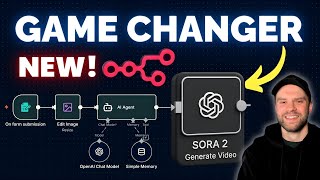
n8n Just Made UGC Ads 10x Easier With the NEW SORA 2 Node
430 views
Just Made UGC Ads 10x Easier With the NEW SORA 2 Node
727 views
Automate SEO Keyword Research with n8n NO CODE!
311 views
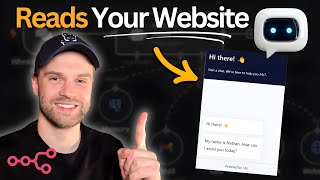
Step by Step Build an n8n Website AI Agent Chatbot That Reads Your Site
2.1K views
I Built an AI SYSTEM For Viral LinkedIn Posts n8n
1.1K views
This n8n AI Agent Will Manage Your Email Inbox 100% Automatic
366 views