
Double Exposure Effect in 3 Minutes | Photoshop Tutorial - Anthony Lam Photography Edits
🛍️ Products Mentioned (10)
Graphics Tablet (Standard)
Graphics Tablet (Pro)
Keyboard
Mouse
Headset
MacBook Pro
Ergonomic Chair
Lightroom Channel
Tumblr
Today's tutorial will demonstrate how to quickly and efficiently achieve a double exposure effect in Photoshop in just 3 minutes using layering, quick selection, refine edges tool, layering mask, levels adjustment, curves adjustment, blend modes, opacity settings, and Clipping tool. Social Media IG: https://www.instagram.com/photoshoping_tutorials/ FB: https://www.facebook.com/AnthonyLamPhotography Twitter: https://twitter.com/PhotoshopEdit_ Tumblr: https://photoshop-edits.tumblr.com/ Pinterest: https://www.pinterest.com.au/PhotoshopEdits_/ —————————————————————- Check Out My Lightroom Youtube Channel - (Lightroom Is basically Photoshop Camera Raw) Lightroom Channel ➡️ https://bit.ly/2QItuX7 Lightroom Fb Group ➡️ https://www.facebook.com/groups/123263719767242 —————————————————————- My Equipment / Setup ➡️ Graphics Tablet (Standard) - https://amzn.to/3AIPrIB Graphics Tablet (Pro) - https://amzn.to/3g64jXU Keyboard - https://amzn.to/3AIPXGx Mouse - https://amzn.to/3AI36jc Headset - https://amzn.to/3r70yrI MacBook Pro - https://amzn.to/34gaG8w Ergonomic Chair - https://amzn.to/3AFiiNY —————————————————————- Thanks for watching please leave a like and subscribe and also comment below if you have any questions thank you
🎬 More from Anthony Lam
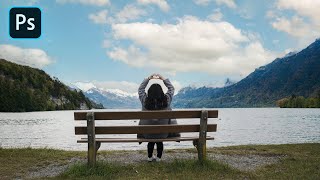
How To Animate Clouds Using Photoshop
7.4K views
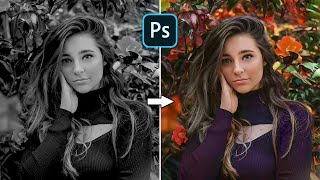
Restore Black And White Photos With This Amazing Website
7.1K views
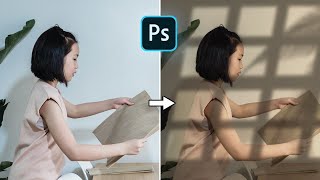
Window Light Effect | Photoshop 2023 Tutorial
4.3K views
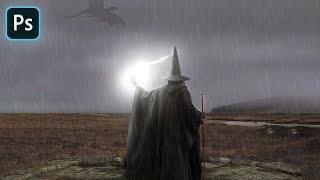
Wizard Vs Dragon | Photoshop Manipulation Artwork 2022
1.9K views
Create Realistic Reflective Puddles | Photoshop 2022 Tutorial
10.8K views
Photoshop | How To Create 3D Glowing Social Media Icons
3.4K views