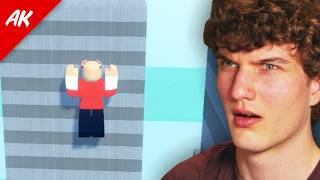
How To Clip 40+ Studs in R15
🛍️ Products Mentioned (9)
Moonwalk (best clipping emote ever)
Low COM
Game
AlexKaboom Discord Server
Glitch Community Discord
Donate
Head
Legs
Legs
Todays video you will learn how to clip a high amount of studs using the moonwalk emote. 🔥Expand me🔥 Moonwalk (best clipping emote ever): https://www.roblox.com/catalog/79127989560307/Moon-Walk Head: https://www.roblox.com/bundles/446/Gothic-Gargoyle Torso: https://www.roblox.com/bundles/254635305231958/Thin-Puffiest-Classic Arms: https://www.roblox.com/bundles/5458293522117/Blocky-Puffiest-Classic Legs: https://www.roblox.com/bundles/5458293522117/Blocky-Puffiest-Classic Low COM: https://www.roblox.com/catalog/89227290900829/sinking Body scaling: 105% height 100% width 100% head 0% proportions 100% body type Game ► https://www.roblox.com/games/6484006319/Alexkabooms-Glitch-Zone AlexKaboom Discord Server ► https://discord.gg/Uja5a9j Glitch Community Discord ► https://discord.gg/YvbuWggPC6 Donate: ► https://paypal.me/alexkaboompaypal?country.x=CA&locale.x=en_US Contact me! ► alexkaboom22@gmail.com Gear I use: Headphones: Linsoul SIMGOT EW300 Mouse: Logitech G203 Mic: Shure SM7B w/ Fethead Mouse Pad: Skypad 3.0 Glass Pad Wrist Pad: Redragon Keyboard Wrist Rest Pad Audio Interface: Quantum ES2 Keyboard: Wooting 60HE PC: PC Case: Corsair Carbide Series 175R GPU: RTX 3060 CPU: Intel Core i5-12600K RAM: Corsair CORSAIR VENGEANCE RGB DDR5 32GB 6000MHz Motherboard: ASUS TUF GAMING B760 CPU Cooler: Cooler Master Hyper 212 Black Power Supply: CORSAIR VS Series, VS500 500 Watt SSD: 2 of Kingston SATA and 2 sticks of WD_BLACK 1TB (M.2 SSD) Settings: Shift lock Switch: On Camera Mode: Default (Classic) Movement Mode: Default (Keyboard) Camera Sensitivity: 0.3 Mouse DPI: 800 DPI What is ROBLOX? Roblox is an online virtual playground and workshop, where kids of all ages can safely interact, create, have fun, and learn. It’s unique in that practically everything on ROBLOX is designed and constructed by members of the community. ROBLOX is designed for 8 to 18 year olds, but it is open to people of all ages. Each player starts by choosing an avatar and giving it an identity. They can then explore ROBLOX — interacting with others by chatting, playing games, or collaborating on creative projects. Each player is also given their own piece of undeveloped real estate along with a virtual toolbox with which to design and build anything — be it a navigable skyscraper, a working helicopter, a giant pinball machine, a multiplayer “Capture the Flag” game or some other, yettobedreamed-up creation. There is no cost for this first plot of virtual land. By participating and by building cool stuff, ROBLOX members can earn specialty badges as well as ROBLOX dollars (“ROBUX”). In turn, they can shop the online catalog to purchase avatar clothing and accessories as well as premium building materials, interactive components, and working mechanisms. #ReturnCornerClips #robloxspeedrun #robloxglitch