
ROVE R2-4K Dash Cam Full Menu & Recommended Settings
🛍️ Products Mentioned (6)
How to setup the Rove R2-4K Dashcam with the Best Settings. Link to dash cam below: Dashcam https://amzn.to/3dQSlkt Hardwire Kit https://amzn.to/3dMxqPk Rove Ultimate Memory Card https://amzn.to/3UVeVLJ Polarizer Filter https://amzn.to/3TvBnfl Optional Cigarette Lighter Splitter https://amzn.to/3Oo11Uy Rove R2-4K Full Review https://youtu.be/8qdkzbbXLG4 RELATED DASH CAM VIDEOS How to install Dash Cam https://youtu.be/44WXN8MI66o Introduction to Hardwire Kits https://youtu.be/Yky9_tTvwMc How to Hardwire Dash Cam https://youtu.be/uZp95NbNlmM How to Install Fuse Taps https://youtu.be/Qzw9yUYN7zo OBD2 Dash Cam Power Adapter https://youtu.be/YEklm9V6xYE RELATED VIDEO PLAYLISTS https://youtube.com/playlist?list=PLMLNRyDJO83kyBOt58vKp166cKD_QuQ-6 https://youtube.com/playlist?list=PLMLNRyDJO83k_Lnu1aRpTr4yR2sjjWsnO https://youtube.com/playlist?list=PLMLNRyDJO83m8bOObTN-g8FKbYg-y1NQq https://youtube.com/playlist?list=PLMLNRyDJO83n9mD6bPCl86FYM1xcKtTyN Visit the AutoFun Store for cool merchandise! https://autofun.myspreadshop.com/ My Instagram https://www.instagram.com/alexautofun/ Chapters: 0:00 Resolution & Loop Recording 2:40 Exposure &Time Lapse 4:03 Park Monitoring 5:55 Audio & G-Sensor 8:03 Customization 9:02 Systems Settings & Wi-Fi 10:23 Screen Saver & Sound Settings 12:04 Advanced Settings 14:42 Photo Mode Settings 17:07 Playback Mode Disclaimers: Vehicle repair, service, modification or installation of aftermarket components should only be performed by a trained professional. Do not try this at home. Injury or Death can occur. Any action you take on the information on the AutoFun YouTube channel and in the videos, contained therein is strictly at your own risk. Autofun makes no warranties on the accurateness of the information. This video description contains income earning affiliate links.
🎬 More from AutoFun

Why HIGH FRAME Matters! (Dash Cam 60 FPS Driving Video)
179 views
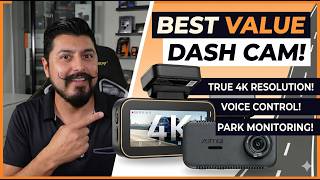
Don't Pay More! The Ultimate Budget 4K Dash Cam | 70mai A810 Lite
802 views
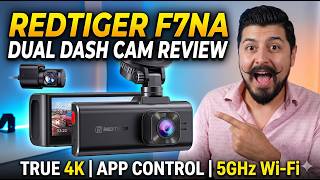
REDTIGER F7NA Dual Dash Cam Review: Worth the Hype?
840 views
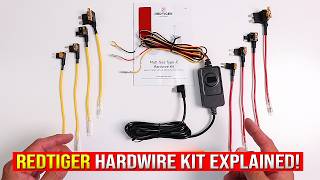
REDTIGER NEW HARDWIRE KIT: Install Prep, Connections & Fuse Taps Explained
944 views
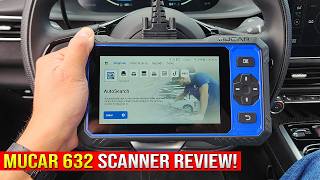
Best Budget Bidirectional Scanner? | Mucar 632 Review
645 views
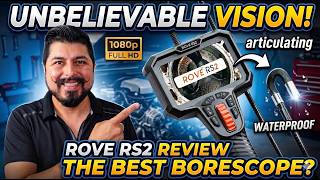
Rove RS2 Borescope Review: The Ultimate Inspection Camera?
621 views