
5 Steps to write a research proposal in a weekend using AI, ethically. No plagiarism or AI detection
🛍️ Products Mentioned (1)
How you can write your research proposal in a weekend with no plagiarism or AI detection. This is 100% ethicak. You can even write your research paper, write literature review. Are you struggling with how to write a research paper or how to start research paper writing? This step-by-step guide shows you how I managed to complete a full research proposal over weekend using only ethical AI tools. I discovered a revolutionary AI-powered platform that gathers multiple research papers with one simple query, saving me days of effort, generate literature review and even research proposal. With Videmak Research AI, I was able to: ✅ Find literature reviews with citations — No more hustling with Google! ✅ Summarize research papers and extract key insights. ✅ Generate a full research proposal section-by-section, complete with citations and references. ✅ Bypass AI detectors with human-readable rephrasing of AI-generated content. Here’s what you’ll learn in this video: 📘 How to get a literature review from ChatGPT and AI tools 📘 How to properly write a research paper from scratch using AI tools 📘 How to make a research proposal using ChatGPT step-by-step 📘 How to generate citations and references automatically 📘 How to write a research paper faster, smarter, and with precision 💡 Chapters: 0:00 - Introduction: My Research Proposal Success Story 1:23 - Setting Up Your Videmak Research AI Account 2:05 - How to Use the AI Literature Search Engine 4:18 - Exploring AI-Generated Reports with Citations 6:45 - How to Generate a Full Research Proposal 9:52 - How to Create and Format Citations in Your Paper 12:30 - How to Rewrite Content to Pass AI Detectors 15:00 - Export Your Proposal with Citations & Bibliography 📍 Get started here: https://videmak.net/ — Create your account and try the tools for free! 💡 Why This Tool is a Game-Changer: - Automatic citations and reference generation - Full research proposal generation in minutes - Summarize, analyze, and manage research papers 10x faster - Export research in Word, PDF, or other formats - AI-powered rewriter to avoid AI detectors If you want to write your research paper like a pro, this video is a must-watch. From concept to completion, I show you every step of the process, so you too can submit high-quality academic work. 🚀 Ready to speed up your research? 👉 Watch now and learn how to get literature review from ChatGPT, how to properly write a research paper, and how to make a research proposal using AI tools! 💬 Got questions? Drop them in the comments, and I’ll be happy to help you master your research journey. 🔔 Don’t forget to like, subscribe, and hit the notification bell for more academic tips! #ResearchProposal #HowToWriteAResearchPaper #LiteratureReviewWithChatGPT #AIResearchTools #AcademicSuccess
About This Video
Frequently Asked Questions
🎬 More from Advanced ChatGPT

Find Research articles and Journals very fast using AI: For Literature Review and Research Proposal
735 views
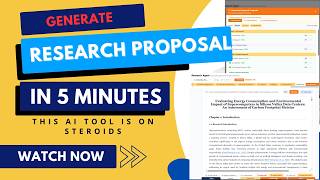
Generating entire research proposal at once using AI in 2026. CitedEvidence research tool is a GOAT
802 views

Turn Notes and Websites into Flashcards - Study Smarter with Gizmo AI | Tutorial + Review 2025
2.4K views
Advanced ChatGPT Live Stream
101 views

Free AI Design Tool for Presentations, Docs, Websites & Social Content - Gamma App Walkthrough
551 views
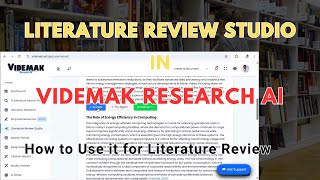
How to Use Videmak Research AI Literature Review Studio for Literature and Academic Articles.
931 views