
OpenClaw Tutorial for Beginners - Crash Course
🛍️ Products Mentioned (2)
OpenClaw previously known as moltbot or clawdbot is the latest AI model agent you can run locally on your own PC that is autonomous connects to MCP like Zapier https://bit.ly/4tgTFlK and runs 24/7 and was just recently supported by OpenAI as open source project. With the logo of a lobster, and created by Peter Steinberger, it is written in typescript and people are buying mac mini's to run it non stop! In this video I'll explain how to set it up and start using it on your own system. We will configure it with WhatsApp, Telegram and Ollama to run your own local models too. Connect Zapier as our MCP server: https://bit.ly/4tgTFlK 00:00 - Chapter 1 - OpenClaw Tutorial 00:20 - Chapter 2 - OpenClaw Installation 00:34 - Chapter 3 - OpenClaw Setup AI Models (Clade, OpenAI, etc) 01:22 - Chapter 4 - OpenClaw TUI (Terminal UI) 01:40 - Chapter 5 - OpenClaw Web UI 02:15 - Chapter 6 - OpenClaw Channels (Messaging) 02:28 - Chapter 7 - OpenClaw WhatsApp Setup 02:50 - Chapter 8 - OpenClaw Telegram Setup 03:53 - Chapter 9 - OpenClaw MCP Tools (Zapier, Gmail, etc) 05:07 - Chapter 10 - OpenClaw Security and Risks 05:50 - Chapter 11 - OpenClaw Costing and Price 06:04 - Chapter 12 - OpenClaw Run Local AI Models (with Ollama) 07:08 - Chapter 13 - OpenClaw Workspace (in VS Code or Cursor) 07:43 - Chapter 14 - OpenClaw Final Thoughts and Conclusion #openclaw #openai #zapier Want to learn web design? ⭐ Check out my course! ⭐ 📘 Teach Me Design - Course: https://www.enhanceui.com/
About This Video
Frequently Asked Questions
🎬 More from Adrian Twarog
OpenClaw Free Forever with Local LLM AI Model Setup
72.1K views

Framer Full Crash Course 2026 for Beginners
1.5K views

OpenClaw Use Cases That You Must Try
40.8K views
OpenAI MCP Tutorial - How to use MCP with ChatGPT, Agents and its API
5.6K views
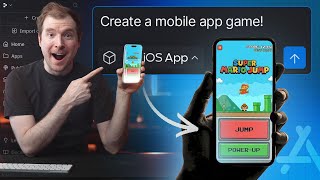
How to build your own Mobile Apps using Replit AI in 2026
4.1K views

Claude 4.5 vs Gemini 3 Pro vs GPT 5.2 - Top AI Model Comparison
16.8K views