
The Secret to That Cinematic Texture with Adobe Stock
Want your footage to feel less digital and more cinematic? In this video, Jake Bartlett will show you how to transform clean, modern video into something with rich texture and vintage character using authentic film grain overlays from Adobe Stock and simple color grading in Adobe Premiere Pro. Here’s what you'll learn: 1. How to find authentic film grain overlays on Adobe Stock 2. How to use film grain overlays in Adobe Premiere Pro 3. Tips for adjusting the grain intensity to fit your project 4. Easily apply a cinematic color grade to your sequence using the Lumetri Color panel Whether you’re going for a nostalgic vibe or just want to add some subtle grit to your footage, this technique is an easy way to elevate your visuals, no plugins required. Visit https://adobe.ly/45raAa7
🎬 More from Adobe Creative Cloud

Level up your product shots fast with the Adobe Stock Panel in Premiere | Adobe Creative Cloud
614 views

How to Create Cinematic Hook Sequences with Adobe Stock AI Studio | Adobe Creative Cloud
82.0K views

How to build custom transitions using Adobe Stock | Adobe Creative Cloud
23.2K views

How Celina Bhandari crafts cinematic sound design with Adobe Stock | Adobe Creative Cloud
26.9K views
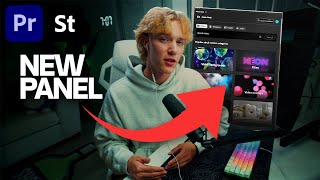
Edit Faster in Premiere with the Adobe Stock Panel (ft. Chris Boustedt) | Adobe Creative Cloud
48.2K views

Design Deliciously with Frankie Gaw | Adobe Creative Cloud
1.1K views