
SUNO v4 Replace Section - A Complete Guide To Making A Perfect Song (2025) - Update
🛍️ Products Mentioned (3)
Want to see the tutorial about "SUNO v4 - Become A Professional Musician"? https://www.youtube.com/watch?v=cf6z0EaOWfc&list=PLJGGabHvBEu1oJ7oyx1M1EHBfTvRk6OsA&index=1 Want to see the tutorial about "Google AI Studio - The AI Agents Using Gemini 2.0"? https://www.youtube.com/watch?v=-nSiZfCx3RM&list=PLJGGabHvBEu3ys5hjioaZL9tsfOBTACiz&index=1 Want to see the tutorial about "Adobe Firefly Video AI - A Direct Comparison With Kling 1.6"? https://www.youtube.com/watch?v=miHikkcIgNo&list=PLJGGabHvBEu3ys5hjioaZL9tsfOBTACiz&index=1 --------------------------- Create the perfect song. You love a beat, but the length doesn't fit? No problem! With the Replace Section function, you finally have full control over your music. Lengthen, shorten or fine-tune - and do it as easily as a music pro? Sounds brilliant, right? But it is possible. I'll show you in 6 simple steps how to get from the initial idea to the perfect song - without any complicated tools. With SUNO v4, the path to the perfect sound is a piece of cake. You'll see how quickly and easily you can customize your track exactly the way you want it! Why is this so brilliant? You'll never have to put up with inappropriate music lengths again! With Replace Section, you can customize any track exactly to your needs - whether for YouTube, social media or your next music project. A highlight awaits you at the end of the video: I present to you the finished song “Whispers In My Head”. --------------------------- The chosen music style: Female Vocal, Cinematic Alternative Rock, Dark Electronic, Orchestral Elements, Industrial Beats, Hip-Hop Influences, Synthwave, Epic Hybrid Music, Dramatic Score, Alternative Pop-Rock --------------------------- Chapters: 00:31 - Get Started - SUNO.com 00:53 - Step 1: The Lyrics With ChatGPT 01:30 - Step 2: Add The Song Lyrics 01:54 - Step 3: Add The Style Of Music 02:12 - Step 4: The First Result 02:55 - Step 5: Replace Section 04:29 - Step 6: Extend Song 05:02 - The Song “Whispers In My Head” Have a great day. :-) I look forward to your “Like” and/or subscription. Feel free to recommend this channel to others. Thank you very much --------------------------- I. The platform: SUNO - https://www.suno.com --------------------------- II. Assistance: SUNO Help - https://sunoaiwiki.com --------------------------- III. The most important parameters: 1. Create - Extend: Extend pieces of music. - Reuse Prompt: Reuse prompts. - Cover Song: Give pieces of music a different style. - Use Persona: Save singers for other pieces of music. - Get Stems: Separate audio tracks (voices / instruments). - Remaster v4: Improve older pieces of music. 2. Edit - Song Details: Rename and change cover image - Crop Song: Cut music pieces to size. - Replace Section: improve unsuitable sections. 3. Move to Workspace: Move songs to a folder. 4. Upload Audio - Record and use your own music, mood or rhythm. 5. Music styles - There seem to be no limits here (afrobeat, funk, soul, industrial noise, folk, cartoon, etc...). - Instrumental pieces of music are also possible. 6. Artists: - The virtual singers are an absolute delight to the ear. - There is every age (probably from 18 years), every gender and every origin. --------------------------- #suno #replacesection #version4 #music #ai PS: You may have noticed that my voice sounds different than in previous videos. I'm now using the voiceover artists from ElevenLabs.io: "Archer" ElevenLabs - https://elevenlabs.io/?from=partnerluna6313 Note: The link above is an affiliate link – I receive a small commission if you choose to use it. There are no additional costs for you. Thanks for your support. This video is not sponsored. MIDJOURNEY™ is a trademark of Midjourney, Inc. We are not endorsed by or affiliated with Midjourney, Inc.
🎬 More from AI. Now Y'Know
Midjourney Video V8.1 + ChatGPT + Nano Banana Pro - An AMAZING Power Trio
520 views
GPT Image 2 - Not Just Images, OpenAI Goes All In
3.1K views
Midjourney V8: The ULTIMATE Comparison
3.9K views

STOP Writing Prompts – Use Kling Motion Control
20.7K views
I Fed NotebookLM My Full Book – THIS happened
27.7K views
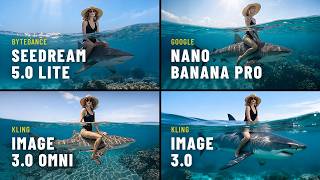
Seedream 5 vs Nano Banana Pro – Which Image AI Should You Choose?
3.7K views