
SUNO v4 - Become A Professional Musician. BIG UPDATE!
🛍️ Products Mentioned (3)
Want to see the tutorial about "Runway ACT ONE"? https://www.youtube.com/watch?v=LWi7_Vg446k&list=PLJGGabHvBEu3ys5hjioaZL9tsfOBTACiz Want to see the tutorial on Midjourney "The External Image Editor"? https://www.youtube.com/watch?v=JLWA-HRoYqw&list=PLJGGabHvBEu3ys5hjioaZL9tsfOBTACiz&index=1 Want to see the tutorial on the trigger word "Anthropomorphic"? https://www.youtube.com/watch?v=JU-UaxMP4IM&list=PLJGGabHvBEu3ys5hjioaZL9tsfOBTACiz&index=1 --------------------------- Now make some real noise! Let me summarize it in two words: “Absolutely amusing!”. Working with SUNO v4 is such a huge pleasure that I sometimes roll around on the floor with tears in my eyes and cramps in my stomach muscles. Here you can let off steam completely, write some cheese as lyrics and then have a person (in this case the AI, of course) sing them seriously. Regardless of whether I grunt clumsily into the microphone, produce a series of letters such as “aaaaaaaa bbbbbb ....” or a lyrical outpouring (e.g. “Mampfi. Mampfi. Get that cheese going. Cheesey. Cheesey.”), the results are simply brilliant. The functions make working with SUNO very user-friendly. Thank you, SUNO team. Just great! --------------------------- If you want to jump directly to the individual chapters, use: 00:31 Basic overview (start page) 01:09 Create: The standard mode [...] 02:18 [...] with random lyrics 02:28 [...] as instrumental version 04:29 Interactive control element 04:55 Extend 05:19 Reuse Prompt 05:26 Cover Song 07:10 Make Persona 08:05 Get Stems 08:40 Song Details 08:48 Crop Song 09:06 Replace Section 09:34 Workaround - Cleaning up the music list 10:28 Create: The Custom Mode [...] 10:38 [...] with your own lyrics 12:44 [...] with lyrics from SUNO 15:33 [...] with audio upload 17:23 Special: Testing the limits [...] 17:32 [...] with scientific texts 19:27 [...] with design concepts Have fun and a great day. :-) I look forward to your “Like” and/or a subscription. You are welcome to recommend this channel. Thank you very much --------------------------- I. The platform: SUNO - https://www.suno.com --------------------------- II. Assistance: SUNO Help - https://sunoaiwiki.com --------------------------- III. The most important parameters: 1. Create - Extend: Extend songs. - Reuse Prompt: Reuse prompts. - Cover Song: Give music tracks a different style. - Make Persona: Save singers for other songs. - Get Stems: Separate audio tracks (voices / instruments). 2. Edit - Crop Song: Cut songs to size. - Replace Section: Improve unsuitable sections. 3. Upload Audio - Record and use your own music, mood or rhythm. 4. Music Styles - There seem to be no limits here (afrobeat, funk, soul, industrial noise, folk, cartoon, etc...). - Instrumental pieces of music are also possible. 5. Artists: - The virtual singers are an absolute delight to the ear. - There is every age (probably from 18 years), every gender and every origin. --------------------------- #suno #version4 #music #sound #singer #composition #soundtrack #emotion #ai PS: You may have noticed that my voice sounds different than in previous videos. I'm now using the voiceover artist “Max - YouTube Professional” from ElevenLabs.io ElevenLabs - https://elevenlabs.io/?from=partnerluna6313 Note: The link above is an affiliate link – I receive a small commission if you choose to use it. There are no additional costs for you. Thanks for your support. This video is not sponsored. MIDJOURNEY™ is a trademark of Midjourney, Inc. We are not endorsed by or affiliated with Midjourney, Inc.
🎬 More from AI. Now Y'Know
Midjourney Video V8.1 + ChatGPT + Nano Banana Pro - An AMAZING Power Trio
520 views
GPT Image 2 - Not Just Images, OpenAI Goes All In
3.1K views
Midjourney V8: The ULTIMATE Comparison
3.9K views
STOP Writing Prompts – Use Kling Motion Control
20.7K views
I Fed NotebookLM My Full Book – THIS happened
27.7K views
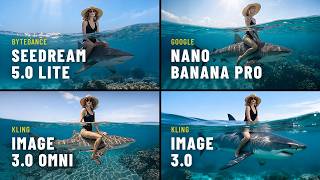
Seedream 5 vs Nano Banana Pro – Which Image AI Should You Choose?
3.7K views