
Style References (--sref) - Full Viking Power!
🛍️ Products Mentioned (7)
The combination is really fun! In this and all upcoming tutorials, I'll combine various AI applications. This means that the tutorial is no longer based on Midjourney alone. I use Runway Gen-3 Alpha for the videos, CapCut as video upscaler, ElevenLabs for professional voiceover and - who could have guessed - Midjourney for the images. Join me in the new tutorial to the style references --sref 10201 to 10250. As a prompt I use “A Viking king in front of a castle --ar 16:9 --seed 1000 --quality 2 --sref XXXXX --v 6.1” (The XXXXX stands for the desired style reference number). Be inspired by some cool results. Topics: 00:00 - Introduction 01:54 - Style references --sref 10201 to 10250 04:06 - A use case: --sref 10232 Did you already know? There is a very user-friendly shortcut in Midjourney. Simply right-click on an image and then immediately use the options for further image processing. You no longer have to open the image first and then work with the menu at the bottom right. Have fun and a great day. :-) I look forward to your “Like” and/or a subscription. You are welcome to recommend this channel. Thank you very much --------------------------- I. The platform: Midjourney - https://www.midjourney.com Runway - https://runwayml.com ElevenLabs - https://elevenlabs.io/?from=partnerluna6313 CapCut Video Upscaler: https://www.capcut.com/tools/ai-video-upscaler --------------------------- II. Assistance: Midjourney at a glance: https://docs.midjourney.com/docs/quick-start Midjourney collections (Stile und Künstler): https://midlibrary.io/ Runway Gen-3 Guide: https://help.runwayml.com/hc/en-us --------------------------- III. The most important parameters: Stylization - “The style”: Influences the artistic interpretation of the image creation. --stylize [0-1000] Weirdness - “The weirdness”: Influences the unusualness of the image creation. --Weird [0-3000] Variety - “The diversity”: Brings different approaches to image creation. --chaos [0-100] Aspect Ratio - “The aspect ratio”: Allows you to change the ratio of width to height. --ar [e.g. 16:9, 2:3, etc.]. Negative Prompting - “The topic exclusion”: Allows you to suppress certain terms when prompting. --no [e.g. red, dog, etc.] --------------------------- #stylereferences #sref #midjourney #midjourneyaiart #midjourneyart #imagecreation #midjourneyai #ai PS: You may have noticed that my voice sounds different than in previous videos. I'm now using the voiceover artist “Max - YouTube Professional” from ElevenLabs.io ElevenLabs - https://elevenlabs.io/?from=partnerluna6313 Note: The link above is an affiliate link – I receive a small commission if you choose to use it. There are no additional costs for you. Thanks for your support. This video is not sponsored. MIDJOURNEY™ is a trademark of Midjourney, Inc. We are not endorsed by or affiliated with Midjourney, Inc.
🎬 More from AI. Now Y'Know
Midjourney Video V8.1 + ChatGPT + Nano Banana Pro - An AMAZING Power Trio
520 views
GPT Image 2 - Not Just Images, OpenAI Goes All In
3.1K views
Midjourney V8: The ULTIMATE Comparison
3.9K views
STOP Writing Prompts – Use Kling Motion Control
20.7K views
I Fed NotebookLM My Full Book – THIS happened
27.7K views
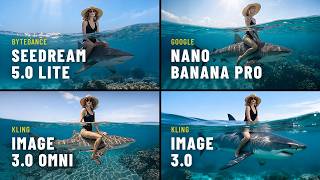
Seedream 5 vs Nano Banana Pro – Which Image AI Should You Choose?
3.7K views