
Midjourney V7 Is Finally Here – Smarter. Faster. BETTER?
🛍️ Products Mentioned (4)
Midjourney V7 - Really? No Way! Midjourney V7 is finally live - not as a subtle update, but as an invitation to rethink creative work. It starts with small details: a revised prompt bar, the Draft Mode, which completely redefines speed, and a clear step towards personalization. But that's just the beginning. In this video, I dive into the new version - not just superficially, but in direct comparison. Midjourney 6.1 meets V7. And then: the contrast with ChatGPT's image generator, which changes everything. It's not immediately clear who wins. But the gap is noticeable - and surprisingly large. Between creative experiments and well-founded impressions, I also show how the “Organize” section finally brings order to visual chaos - and what is important when Midjourney is running in the browser: Firefox or Chrome? It makes a difference. There is no hype at the end. But a conclusion that starts where many stop: with the question of what these tools do to us - and how they change our idea of digital creativity. --------------------------- Chapter: 00:36 - Get Started: www.midjourney.com 00:43 - First Highlight: The Draft Mode 01:24 - Prompting: Familiar Yet Different 04:27 - In Action: The Draft Mode 06:48 - A Comparison: Midjourney V6.1 vs. Midjourney V7 vs. ChatGPT Image Generator 13:44 - Midjourney: How to Organize Images 16:16 - Midjourney: Firefox or Google Chrome? 18:30 - My Personal Conclusion Have a great day. :-) I look forward to your “Like” and/or subscription. Feel free to recommend this channel to others. Thank you very much --------------------------- I. Further topic suggestions: Want to see the tutorial about "Midjourney V7 - The Draft Mode"? https://www.youtube.com/watch?v=PwCwqwVqXxc&list=PLJGGabHvBEu3ys5hjioaZL9tsfOBTACiz&index=1 Want to see the tutorial about "How To Make & Edit Images With ChatGPT For Beginners"? https://www.youtube.com/watch?v=8Nsi_-M52Gw&list=PLJGGabHvBEu3ys5hjioaZL9tsfOBTACiz&index=42 Want to see the tutorial about "Manus AI Agent - New ALL-IN-ONE AI Tool "? https://www.youtube.com/watch?v=FuWWbxKN2r0&list=PLJGGabHvBEu3ys5hjioaZL9tsfOBTACiz&index=1 --------------------------- II. The platforms: Midjourney - https://www.midjourney.com --------------------------- III. Assistance: Midjourney Personalization: https://docs.midjourney.com/docs/personalization Midjourney at a glance: https://docs.midjourney.com/hc/en-us/articles/33329261836941-Getting-Started-Guide Midjourney collections (Styles and artists): https://midlibrary.io/ --------------------------- IV. The most important parameters: Stylization - “The style”: Influences the artistic interpretation of the image creation. --stylize [0-1000] Weirdness - “The weirdness”: Influences the unusualness of the image creation. --Weird [0-3000] Variety - “The diversity”: Brings different approaches to image creation. --chaos [0-100] Aspect Ratio - “The aspect ratio”: Allows you to change the ratio of width to height. --ar [e.g. 16:9, 2:3, etc.]. Negative Prompting - “The topic exclusion”: Allows you to suppress certain terms when prompting. --no [e.g. red, dog, etc.] --------------------------- #midjourney #version7 #imagegenerator
🎬 More from AI. Now Y'Know
Midjourney Video V8.1 + ChatGPT + Nano Banana Pro - An AMAZING Power Trio
520 views
GPT Image 2 - Not Just Images, OpenAI Goes All In
3.1K views
Midjourney V8: The ULTIMATE Comparison
3.9K views
STOP Writing Prompts – Use Kling Motion Control
20.7K views
I Fed NotebookLM My Full Book – THIS happened
27.7K views
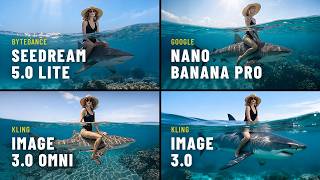
Seedream 5 vs Nano Banana Pro – Which Image AI Should You Choose?
3.7K views