
Midjourney & Runway Act-One - Edit, Retexture & Animate Faces Precisely.
🛍️ Products Mentioned (9)
CapCut Video Upscaler
Runway Gen 4.5
Runway Gen 4.5 HelpDesk
Midjourney
Kling
ElevenLabs
Style & Artist Library
Midjourney at a glance
Runway Help Center
Want to see the tutorial on Midjourney "The External Image Editor”? https://www.youtube.com/watch?v=JLWA-HRoYqw&list=PLJGGabHvBEu3ys5hjioaZL9tsfOBTACiz&index=1 Want to see the tutorial on the trigger word “Anthropomorphic”? https://www.youtube.com/watch?v=JU-UaxMP4IM&list=PLJGGabHvBEu3ys5hjioaZL9tsfOBTACiz&index=1 Want to see the tutorial about “Made from”? https://www.youtube.com/watch?v=P9qNb71AkA4&list=PLJGGabHvBEu3ys5hjioaZL9tsfOBTACiz&index=2 --------------------------- Who needs animation when you can do that? To stay in the language of Discord. Just “/imagine” for a moment. You make a rough sketch - with a pencil, for example. You scan and upload it to Midjourney, give the image a new look and feel using the External Image Editor, transfer it to Runway and combine it with a movie you shot beforehand using the “Act-One” function. And there it is - an incredibly captivating video sequence. And all from a simple sketch. Breathtaking! The exact definition of Runway Act-One is something like this: “... you can bring a character to life, influencing facial expressions, mouth movements and more”. Try it out. Otherwise you'll miss out. If you want to jump directly to the individual chapters, use: 00:41 Step 1: Edit 00:57 Step 2: Suggest Prompt 01:11 Step 3: Retexture 02:01 Step 4: Upscale to Gallery 02:15 Step 5: Animate in Runway Act-One 04:26 The result Did you know? With Topaz Video AI you can not only upscale the short video sequences from Runway, Kling, Minimax, Luma, Pika or similar. You can also slow them down extremely with super slow motion and thus make the video significantly longer. Have fun and a great day. :-) I look forward to your “Like” and/or a subscription. You are welcome to recommend this channel. Thank you very much --------------------------- I. The platform: Midjourney - https://www.midjourney.com Kling - https://klingai.com/ Runway - https://runwayml.com ElevenLabs - https://elevenlabs.io/?from=partnerluna6313 CapCut Video Upscaler: https://www.capcut.com/tools/ai-video-upscaler --------------------------- II. Assistance: Midjourney at a glance: https://docs.midjourney.com/docs/quick-start Midjourney collections (Styles and artists): https://midlibrary.io/ Runway Help Center: https://help.runwayml.com/hc/en-us/articles/33927968552339-Creating-with-Act-One-on-Gen-3-Alpha Runway Gen-3 Guide: https://help.runwayml.com/hc/en-us --------------------------- III. The most important parameters: Stylization - “The style”: Influences the artistic interpretation of the image creation. --stylize [0-1000] Weirdness - “The weirdness”: Influences the unusualness of the image creation. --Weird [0-3000] Variety - “The diversity”: Brings different approaches to image creation. --chaos [0-100] Aspect Ratio - “The aspect ratio”: Allows you to change the ratio of width to height. --ar [e.g. 16:9, 2:3, etc.]. Negative Prompting - “The topic exclusion”: Allows you to suppress certain terms when prompting. --no [e.g. red, dog, etc.] --------------------------- #runway #actone #midjourney #benutzerinterface #midjourneyaiart #midjourneyart #bilderstellung #midjourneyai #ai PS: You may have noticed that my voice sounds different than in previous videos. I'm now using the voiceover artist “Max - YouTube Professional” from ElevenLabs.io ElevenLabs - https://elevenlabs.io/?from=partnerluna6313 Note: The link above is an affiliate link – I receive a small commission if you choose to use it. There are no additional costs for you. Thanks for your support. This video is not sponsored. MIDJOURNEY™ is a trademark of Midjourney, Inc. We are not endorsed by or affiliated with Midjourney, Inc.
🎬 More from AI. Now Y'Know
Midjourney Video V8.1 + ChatGPT + Nano Banana Pro - An AMAZING Power Trio
520 views
GPT Image 2 - Not Just Images, OpenAI Goes All In
3.1K views
Midjourney V8: The ULTIMATE Comparison
3.9K views
STOP Writing Prompts – Use Kling Motion Control
20.7K views
I Fed NotebookLM My Full Book – THIS happened
27.7K views
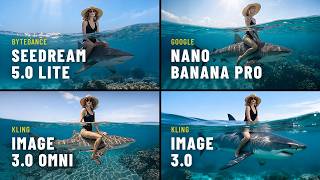
Seedream 5 vs Nano Banana Pro – Which Image AI Should You Choose?
3.7K views