
How To Create A Talking AI Intro With Lipsync – ChatGPT, Kling & Runway (2025 Tutorial)
🛍️ Products Mentioned (10)
Runway Gen 4.5
Runway Gen 4.5 HelpDesk
Midjourney
Kling
ChatGPT
ElevenLabs
Kling HelpDesk
Getting Started
Style & Artist Library
ChatGPT HelpDesk
An idea, an image - and the right AI tools. By popular demand: In this tutorial, I show step by step how my own intro was created - from the first draft to the finished clip. After watching this video, you can create your own AI intro in exactly the same way. Here are the 9 steps: --------------------------- 1. OBS Studio: Short original recording created (monologue into the camera, length less than 30 seconds). 2. ChatGPT Image Generator: Image generated of me on a rhino (photo uploaded + prompt: "Use this image of me to create a photorealistic picture of me as a cowboy riding a rhino."). 3. Adobe Photoshop: Image converted to 16:9 format (alternatively Midjourney Editor). 4. Kling 2.0: Image uploaded and 5-second video animated (prompt: "The person sits on a rhino, looks into the camera, talks while the rhino walks very slowly and turns its head. muted colors. camera stationary."). 5. Topaz Video AI: 5-second video extended to 30 seconds (6x slow motion for the correct intro length). 6. Runway Gen-3 Alpha Act One: Extended video and original recording synchronized. 7. Runway 4K upscaler: Video upscaled (sometimes better quality than Topaz). 8. ElevenLabs: Nature sound effects created (savannah wind, animals or birds). 9. Adobe Premiere Pro: All elements merged, edited, set to music and exported as .mp4. --------------------------- Have a great day. :-) I look forward to your “Like” and/or subscription. Feel free to recommend this channel to others. Thank you very much --------------------------- I. Further topic suggestions: Want to see the tutorial about "New Insane Ways To Use The ChatGPT Image Generator - Inflatable Figure"? https://www.youtube.com/watch?v=nt4tP6YgAgc&list=PLJGGabHvBEu3ys5hjioaZL9tsfOBTACiz&index=2 Want to see the tutorial about "Create An Action Figure Of Yourself With ChatGPT"? https://www.youtube.com/watch?v=DpferW54-Do&list=PLJGGabHvBEu3ys5hjioaZL9tsfOBTACiz&index=4 Want to see the tutorial about "How To Make & Edit Images With ChatGPT For Beginners"? https://www.youtube.com/watch?v=8Nsi_-M52Gw&list=PLJGGabHvBEu3ys5hjioaZL9tsfOBTACiz&index=42 --------------------------- II. The platforms: Kling 2.0 - https://klingai.com Runway - https://runwayml.com ChatGPT - https://chatgpt.com Midjourney - https://www.midjourney.com ElevenLabs - https://elevenlabs.io/?from=partnerluna6313 --------------------------- III. Assistance: Kling - https://docs.qingque.cn/d/home/eZQDT9y_PeLL-HOb7fWz1POgu Runway - https://help.runwayml.com/hc/en-us ChatGPT HelpDesk - https://help.openai.com/en/collections/3742473-chatgpt Midjourney at a glance: https://docs.midjourney.com/hc/en-us/articles/33329261836941-Getting-Started-Guide Midjourney collections (Styles and artists): https://midlibrary.io/ --------------------------- When posting prompts, please be sure to observe the content policies of the platform operator and avoid violating these rules. The use of the above prompts is at your own risk. #Kling2 #Runway #AIVideo
🎬 More from AI. Now Y'Know
Midjourney Video V8.1 + ChatGPT + Nano Banana Pro - An AMAZING Power Trio
520 views
GPT Image 2 - Not Just Images, OpenAI Goes All In
3.1K views
Midjourney V8: The ULTIMATE Comparison
3.9K views
STOP Writing Prompts – Use Kling Motion Control
20.7K views
I Fed NotebookLM My Full Book – THIS happened
27.7K views
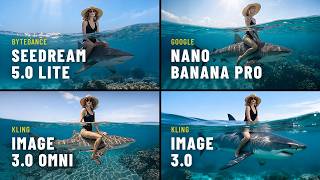
Seedream 5 vs Nano Banana Pro – Which Image AI Should You Choose?
3.7K views