
Free Text to Speech AI Tool for Faceless Video Creation - 2024
🛍️ Products Mentioned (3)
One stop shop for all your linguistic needs: https://interactbeyond.in/ In this video, I will show you how to use a free text to speech AI tool to create engaging videos without showing your face. This tool is perfect for people who want to create videos but don't want to be on camera. It's also great for people who want to create videos in multiple languages .The tool I'm using is called TTSMP3. It's a free online tool that lets you convert text into speech. You can use it to create videos for YouTube, Vimeo, or any other video platform. To use ttsmp3, simply type your text into the text box and click on the "Speak" button. The tool will then generate a natural-sounding voiceover for your text. You can adjust the speed and pitch of the voice, and you can also add background music or sound effects. Please Like and Share...!!! Comment...!!! Don't Forget to Subscribe.....!!!! Visit My 2nd Channel: https://www.youtube.com/@FactzBlow10 © Copyright by 5G EDUCATORS – All Rights Reserved ● For Sponsorship & Paid Promotion: Email : innoxentnafees@gmail.com Interact Beyond: Sponsors of the subtitles for this video. Follow Me: Facebook: https://web.facebook.com/muhammadnafees17/ Instagram: https://www.instagram.com/innoxent_nafees/?hl=en Facebook Page: https://web.facebook.com/5geducatorsofficial/
🎬 More from 5G EDUCATORS
Overlay & Blending in CapCut Mobile | CapCut Mobile Video Editing Course #18
432 views
Masking in CapCut Mobile | CapCut Mobile Video Editing Course #17
178 views
Keyframing in CapCut Mobile | CapCut Mobile Video Editing Course #16
154 views
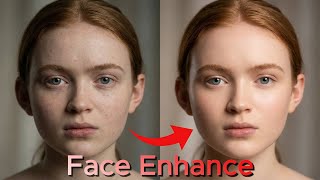
Enhance Your Face Beauty in 1 Click in CapCut Mobile | CapCut Mobile Video Editing Course #15
146 views

How to Create Instrumental Music in CapCut Mobile | Vocal Isolation | CapCut Mobile Course # 14
173 views
Audio Editing in CapCut Mobile | Voice Cleanup & Enhancement |CapCut Mobile Video Editing Course# 13
266 views